Generate Hash Value and Integrate Form Data Third-Party System using API Object.
Problem Statement:
Every document that goes out or comes into Business Central requires some kinda validation to check its originality which confirms the confidentiality of the document.
Introduction:
This blog is a two-step process in which I will be explaining how things work and how to write a code for this.
This blog also is an update on Hannes Holst Blog(https://www.hannesholst.com/blog/technology/hash-hash-baby-secure-hash-algorithm-in-nav-365bc-and-a-little-more/) and you don’t need to access any .NET variable.
Pre-requisites:
- Microsoft Dynamics Business Central
- VS Code
- AL Language
- Understanding of how data is transferred using API
Books & References:
- https://docs.microsoft.com/en-us/dynamics365/business-central/dev-itpro/developer/methods-auto/httpcontent/httpcontent-data-type
- https://www.hannesholst.com/blog/technology/hash-hash-baby-secure-hash-algorithm-in-nav-365bc-and-a-little-more/
- https://www.yammer.com/dynamicsnavdev/threads/465800571707392
Demonstration:
1. Creating a Hash Value:
Whenever a file is Uploaded to Business Central Document Attachment Table, Business Central should auto-calculate its Hash value. The Hash Algorithm will be selected on a setup.
- Creating a Local Hash Value field in the Document Attachment Table.
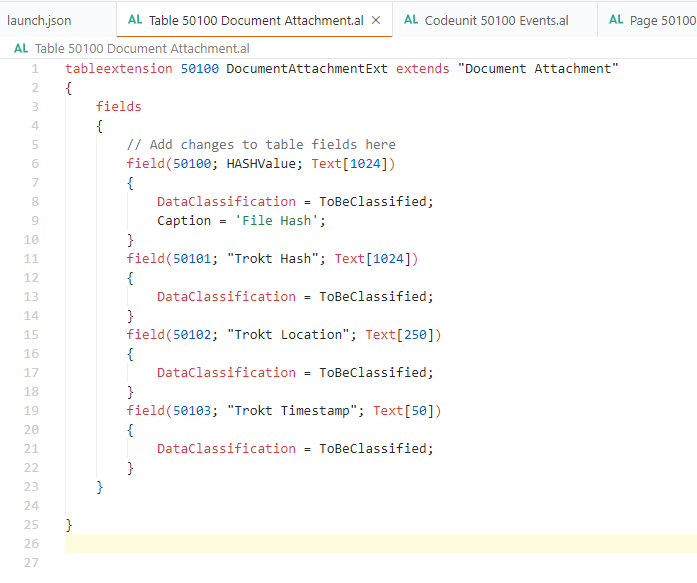 |
| Document Attachment Table Extension |
 |
| Hash generated by Business Central |
Create a set of the field on Setup Table where you will be selecting the Hash Algorithm.
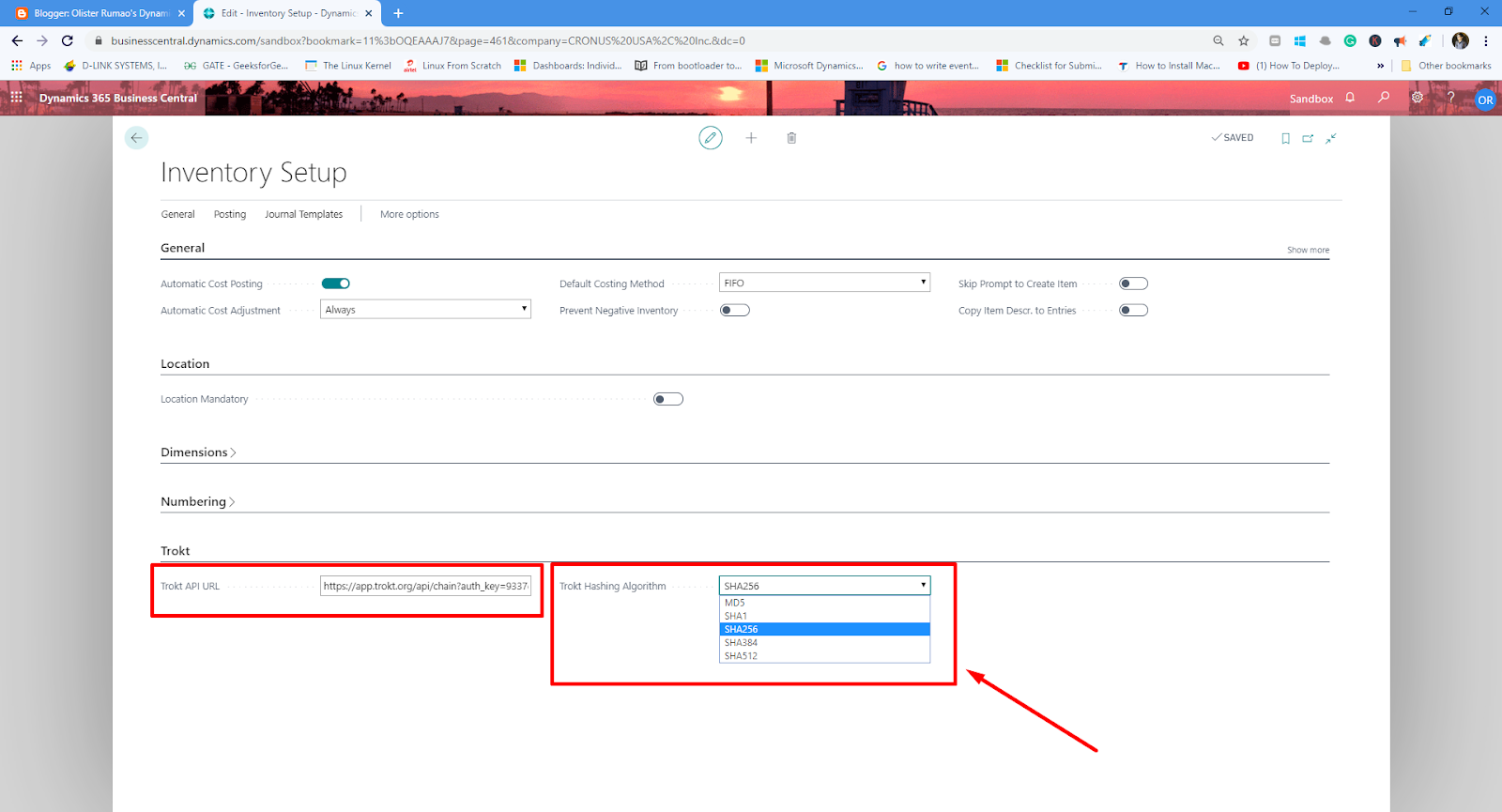 |
| API Setup for Trokt App |
Calculating Hash Value using the Cryptography Management Codeunit. Thanks to Natalie(https://www.yammer.com/dynamicsnavdev/threads/465800571707392), who pointed me in the right direction.
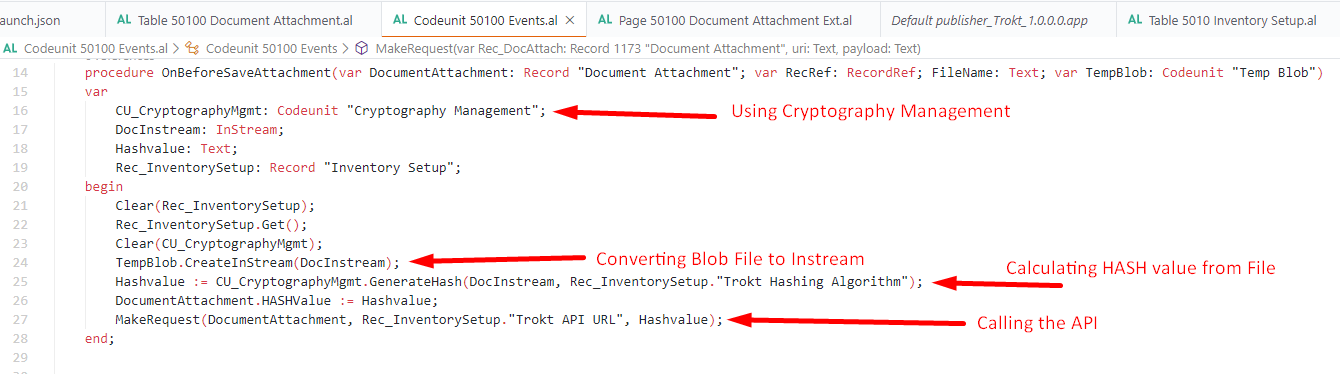 |
| Creating HASH Value from File |
After the computation of Hash Value, the Third – Party Tool API should be triggered with a parameter as the Hash Value.
2. Integrating API with Third-Party Tool:
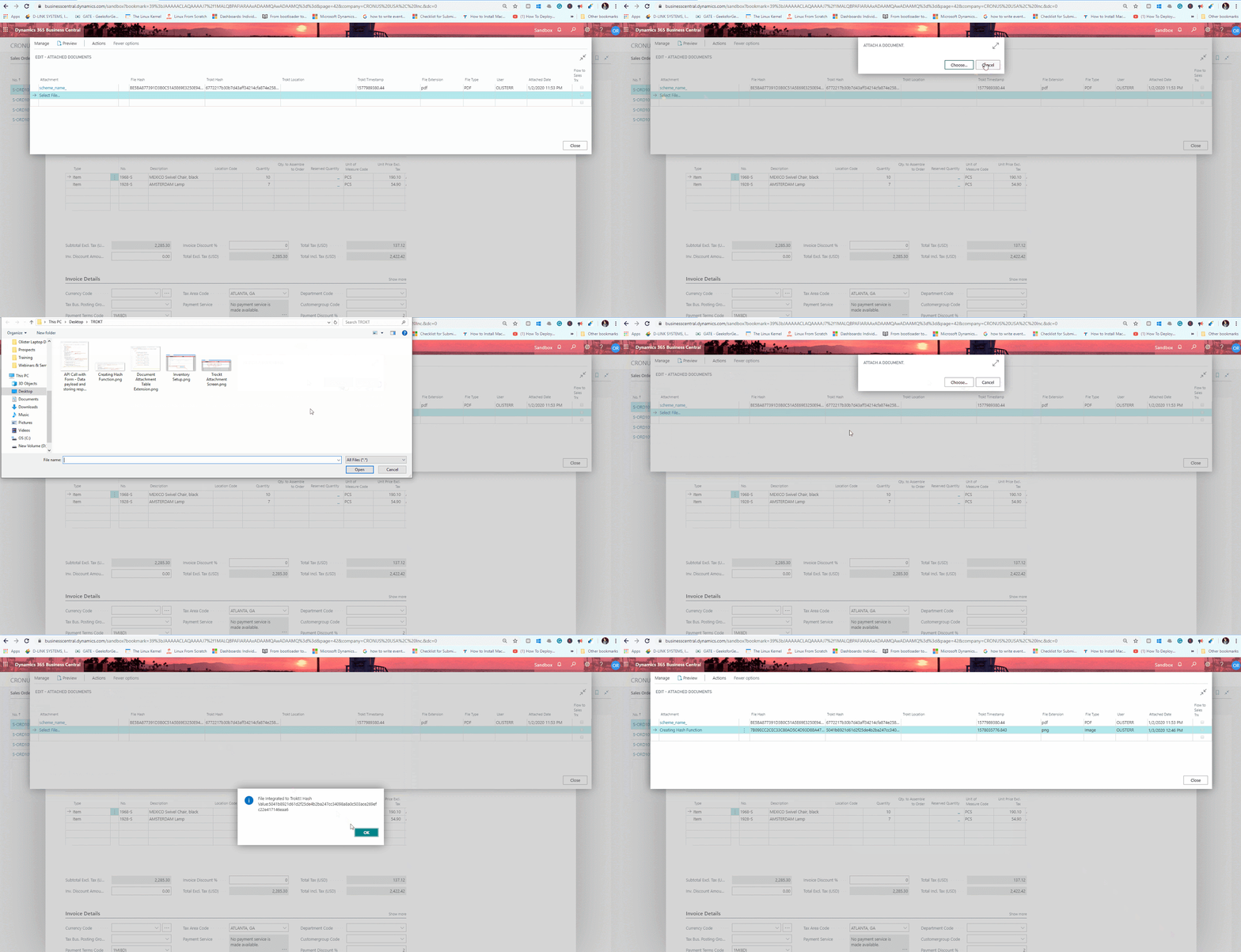
When API has triggered with the Hash Value as a form data, the Third-Party Tools recognizes the Hash Value and then auto-computes other parameters and returns their unique value.
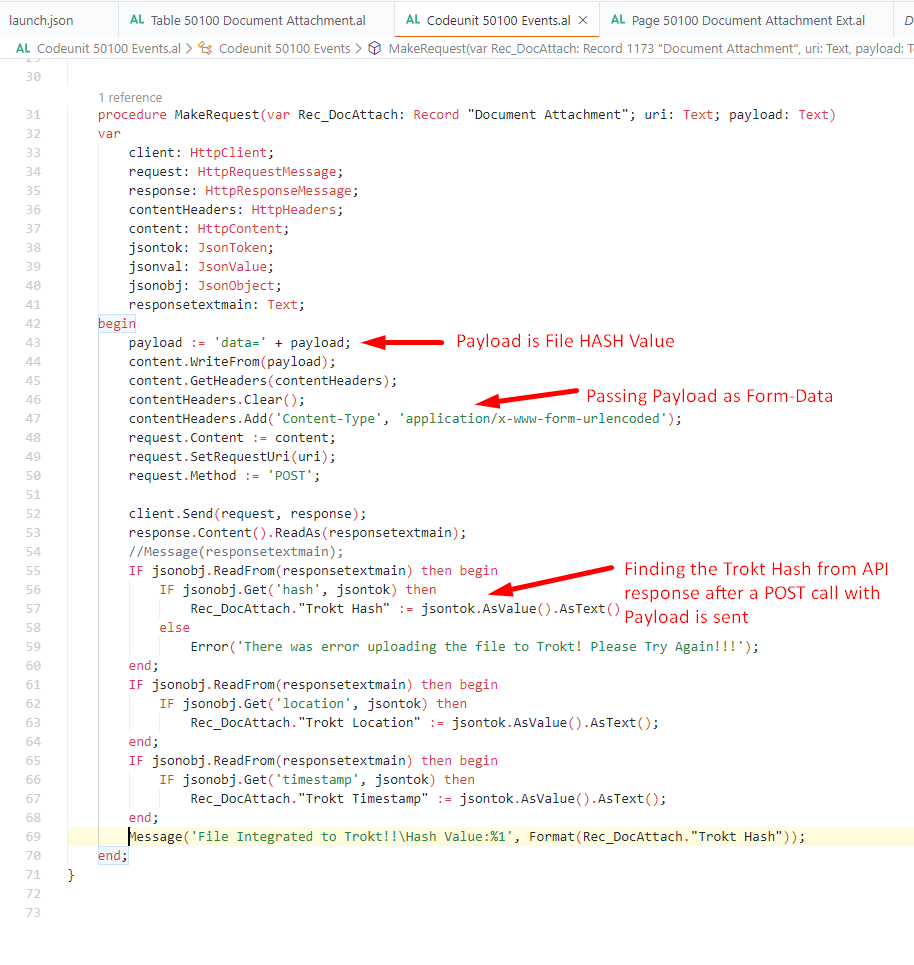 |
| API Call with Form – Data payload and storing response |
This unique value is going to be stored in the Business Central Document Attachment Table.
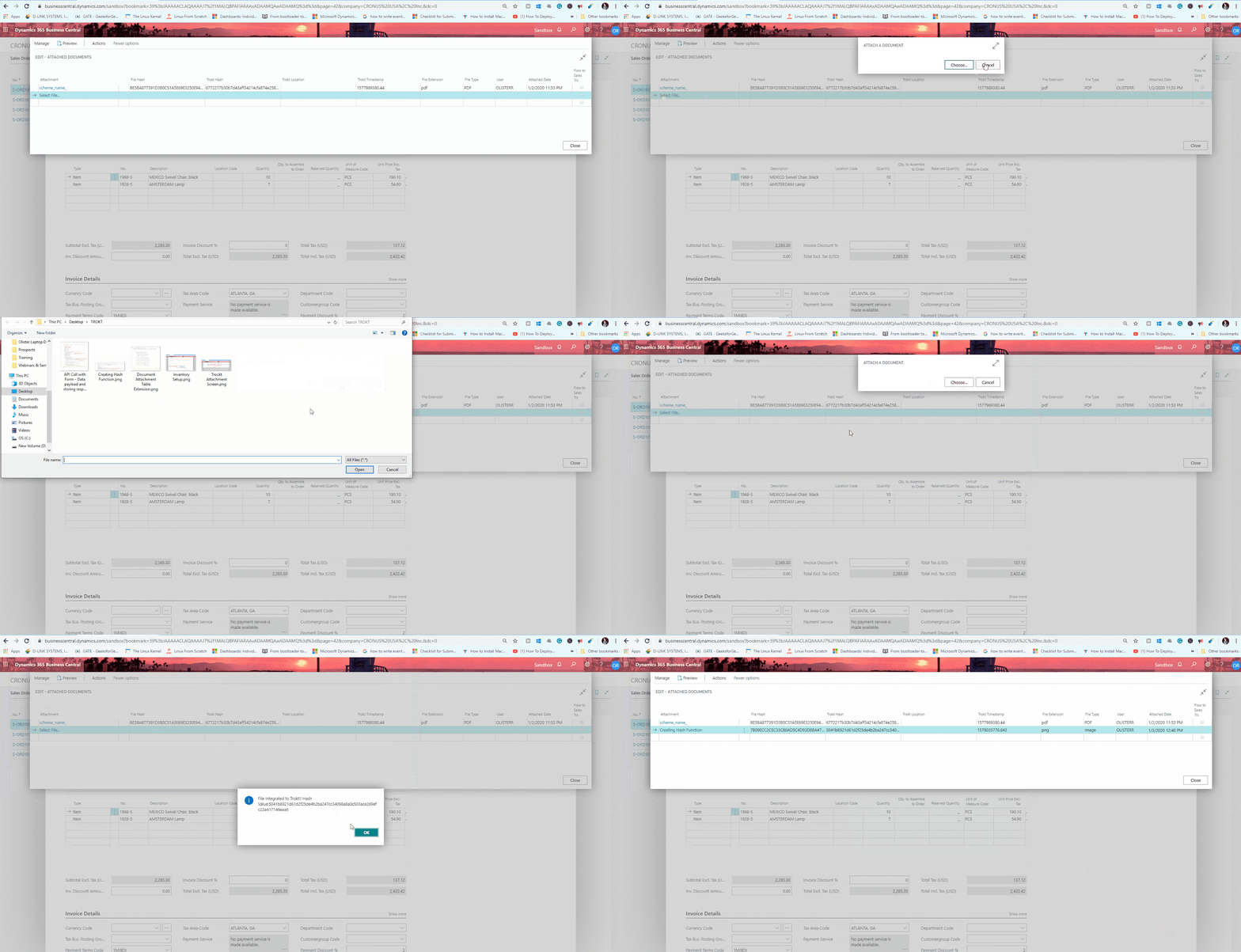 |
| Attaching File and getting TROKT HASH in Document Attachment Table |
Checking the API Data through POSTMAN passing the HASH Value as a Filtering Parameter
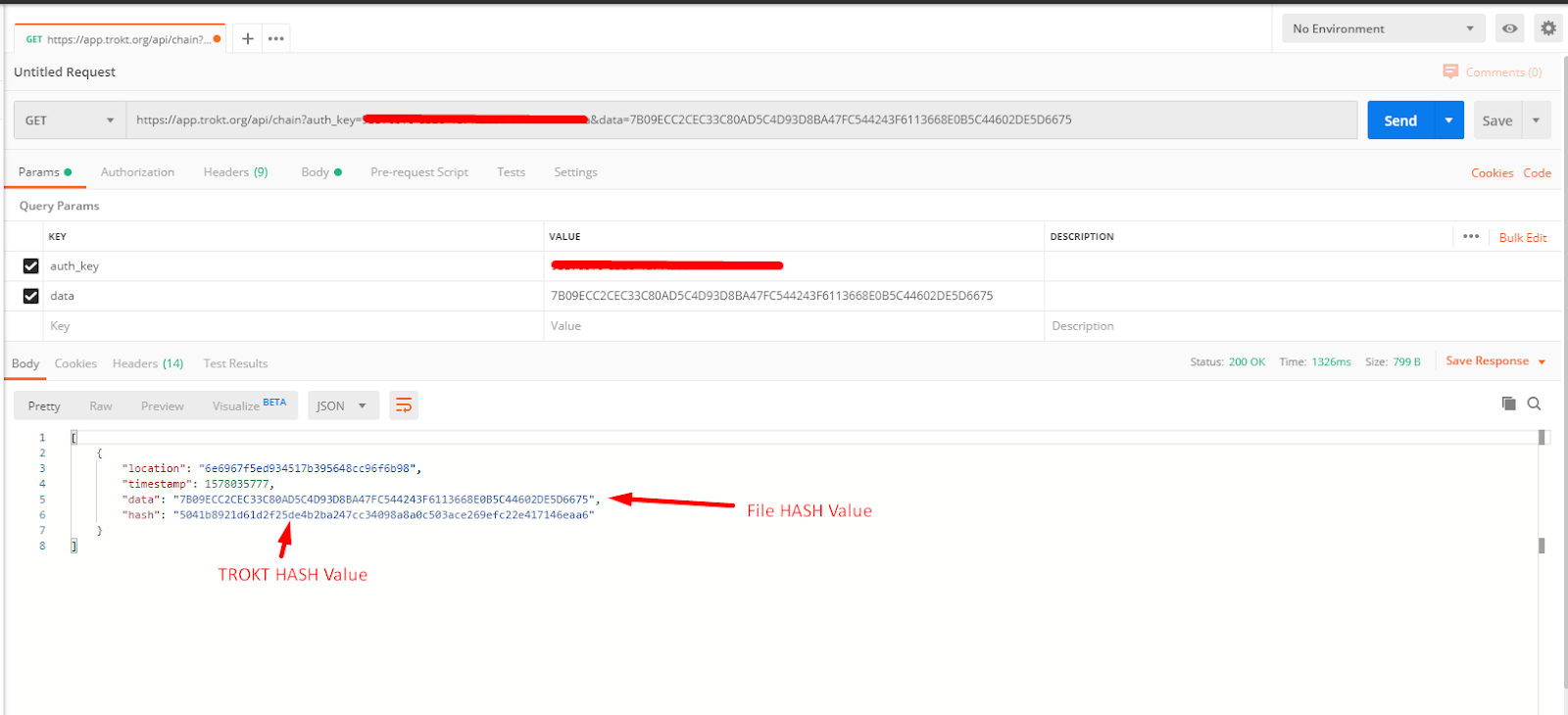 |
| Checking if HASH Value was passed to TROKT API |
Conclusion:
Overall, this was the journey as a trial and error process for one of my clients Proof of Concept.
I’m really happy with how perfectly it turned out to be.
Related posts:

How a Multi-Country Infrastructure Group Evaluated One vs Two Production Environments in Dynamics 36...
How an Australian Linen Company Made Quote Approvals Secure with One Time Links in Dynamics 365
Recovering Lost Approval History After a Purchase Order Deletion in Business Central