
Passing parameters to JavaScript Web Resource function in Dynamics CRM
Introduction:
In this blog we will see how we can pass parameters to a JavaScript function where the function is generic and can be reused.
Implementation:
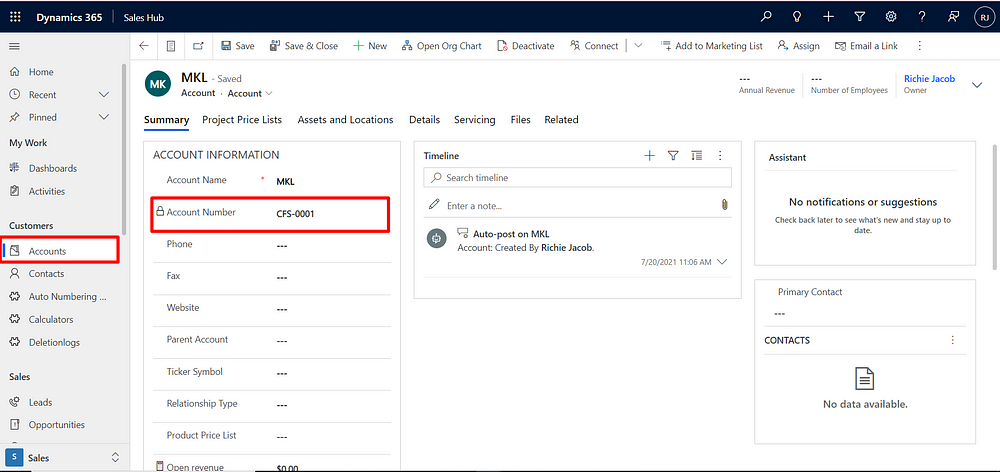
Let’s take an example where you would check if account number is present or not in the account field.
1. Create a JS function to check if account number is present in the Account field.
var alertDialogBox = {
accNumber : function(executionContext,schemaNameforAccNumber){
var formContext = executionContext.getFormContext();
var accountNumber = formContext.getAttribute(schemaNameforAccNumber).getValue()
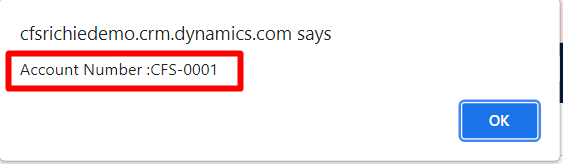
alert("Account Number :" + accountNumber);
}
};
2. Add function to the Web Resource library in solution.
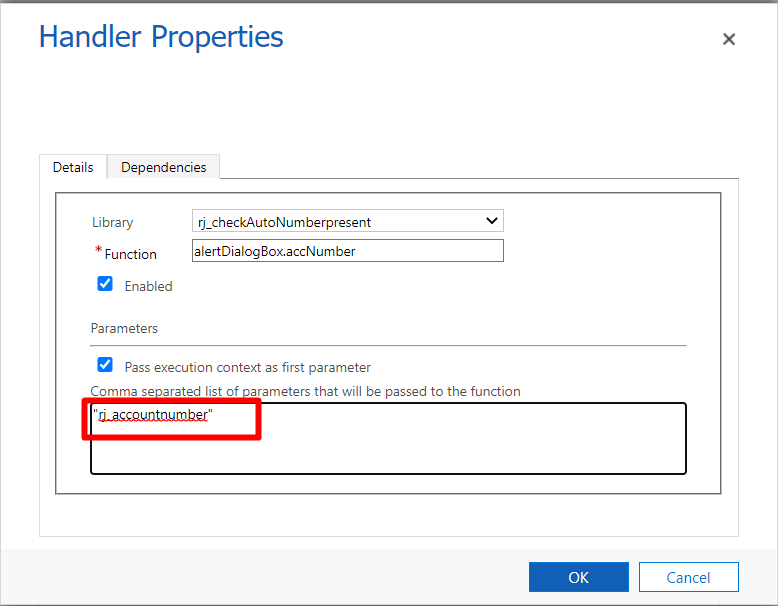
3. Adding it to the form of the Account entity to reflect the output on load of the page.
4. Checking for the result on load of Account.
Hope this helps …
Related posts:
Every Target Traced to a Deal: Dynamics 365 Sales Visibility for an Australian Commercial Laundry Pr...
Why Is Consumption Quantity Showing Zero in Dynamics 365 Business Central? A Pharma Manufacturing Ca...
How We Built a Role-Based Customer Portal in Microsoft Power Pages for a US-Based IT Services Provid...