
Run Report in UCI Form for Web Browser
Introduction:
This blog details steps for Run Report button in UCI Form via Web Browser in D365 Sales.
Scenario:
Client requires Run Report button in UCI Form for Order Entity in D365 Sales
Steps:
Below are steps to be performed for enabling Report button on Order Entity
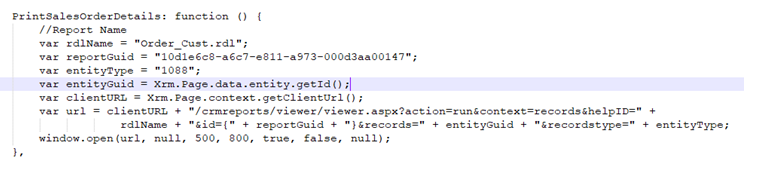
- Create WebResource with below javascript function.
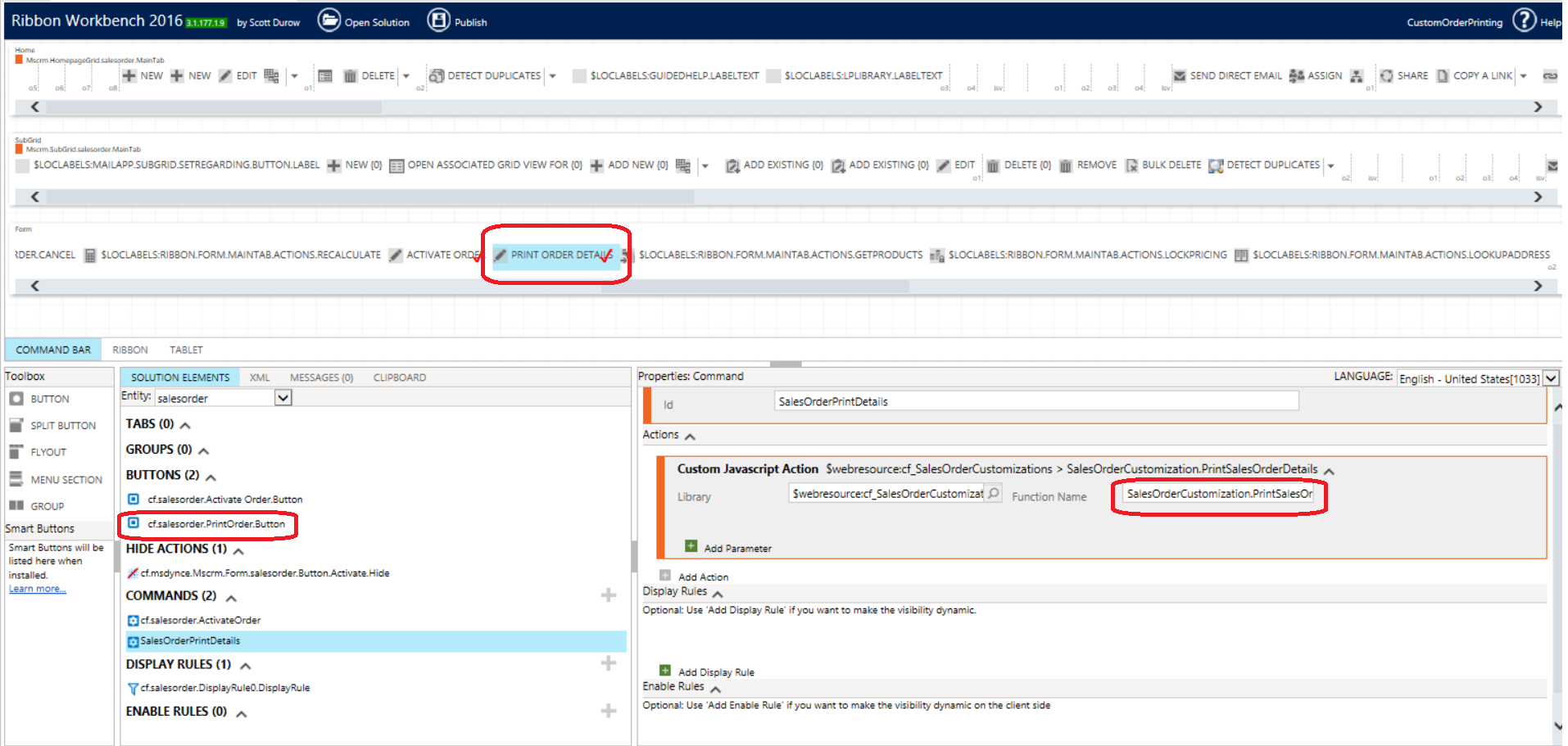
- Create a button on Form and call function “PrintSalesOrderDetails”.
Conclusion:
Hope this blog helps you to run report in UCI browser.
Related posts:
How to Extend Dynamics 365 CRM Using Side Panes: A Practical Implementation for a US-Based Kitchen A...

D365 CRM - Generating Emails using JavaScript via user actions for US based Azure & AI services ...
How a Multi-Country Infrastructure Group Evaluated One vs Two Production Environments in Dynamics 36...