

Secure Email Setup in Dynamics 365 Finance & Operations with SMTP
Email remains a vital communication tool in Dynamics 365 Finance & Operations, powering workflows like invoice delivery, notifications, and approvals. To ensure secure and reliable email transmission, organizations configure SMTP directly within F&O. This guide walks through the streamlined steps to configure SMTP in F&O so your system can send emails seamlessly.
Steps to Achieve goal
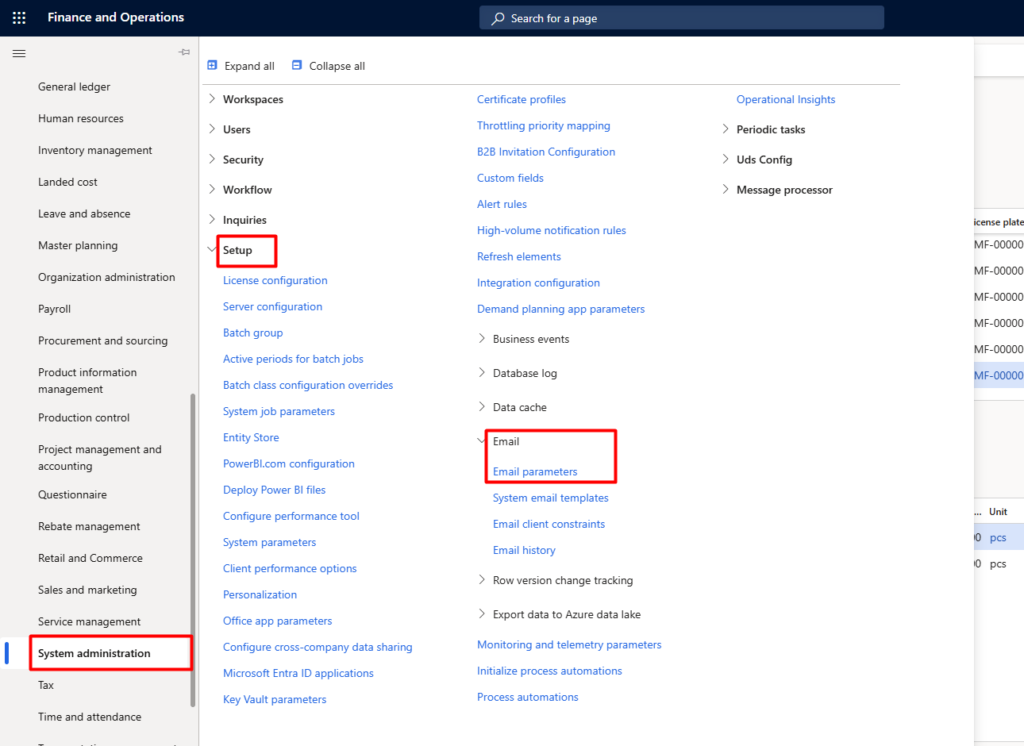
- Open Email Parameters Go to System administration → Setup → Email → Email parameters
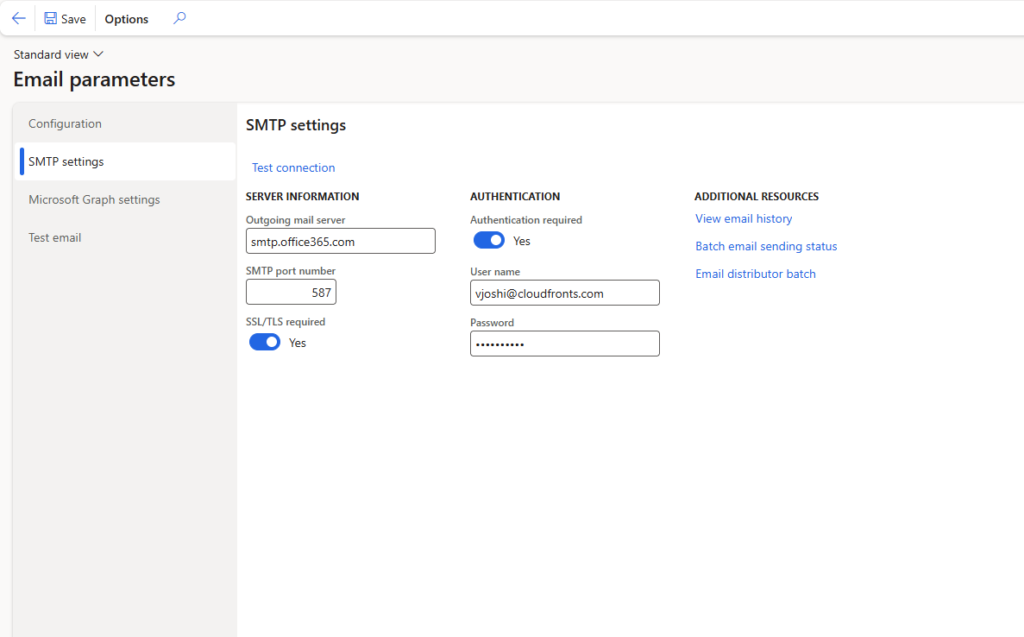
2. Go to SMTP settings and enter below valuesEnter SMTP Server Details
Enable SSL/TLS if required.
Server: e.g., smtp.office365.com
Port: usually 587 (TLS)
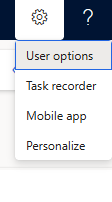
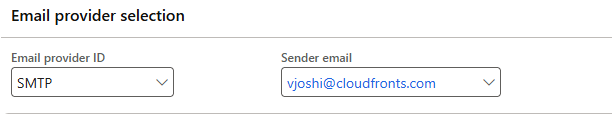
3. Define Sender Address Ensure each user has a valid email address in User options → Email.
To conclude, configuring SMTP in Dynamics 365 F&O is a straightforward process that unlocks secure and efficient email communication across your business processes. By entering the correct server details, authentication method, and sender information, you enable F&O to deliver messages reliably without manual intervention. With SMTP in place, Finance & Operations becomes not just a system of record, but a system of communication.
We hope you found this article useful, and if you would like to discuss anything, you can reach out to us at transform@cloudfronts.com
