

Automating Data Cleaning and Storage in Azure Using Databricks, PySpark, and SQL.
Managing and processing large datasets efficiently is a key requirement in modern data engineering. Azure Databricks, an optimized Apache Spark-based analytics platform, provides a seamless way to handle such workflows. This blog will explore how PySpark and SQL can be combined to dynamically process, and clean data using the medallion architecture (Only Raw → Silver) and store the results in Azure Blob Storage as PDFs.
Understanding the Medallion Architecture: –
The medallion architecture follows a structured approach to data transformation:
- a. Raw Layer (Bronze): Stores unprocessed, raw data.
- b. Cleansed Layer (Silver): Processes and refines data by removing null values and inconsistencies.
Aggregated Layer (Gold): Optimized for analytics, reports, and machine learning.
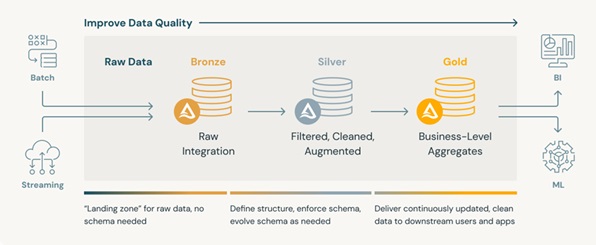
In our use case, we extract raw tables from Databricks, clean them dynamically, and store the refined data into the silver schema.
Key technologies / dependencies used: –
- 1. Azure Databricks: Cloud-based big data analytics.
- 2. PySpark: Python API for Apache Spark to process large datasets.
- 3. SQL in Databricks: Allows querying of tables and transformation using structured data operations.
- 4. ReportLab: Converts processed data into PDF reports.
- 5. Azure Blob Storage: Stores the generated PDFs dynamically for easy access.
Step-by-Step Code Breakdown
1. Setting Up the Environment
Install & import necessary libraries
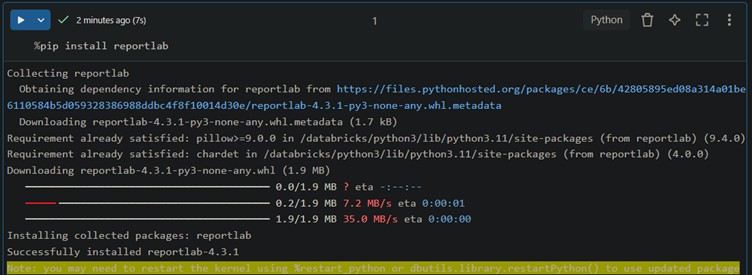
The above command installs reportlab, which is used to generate PDFs.
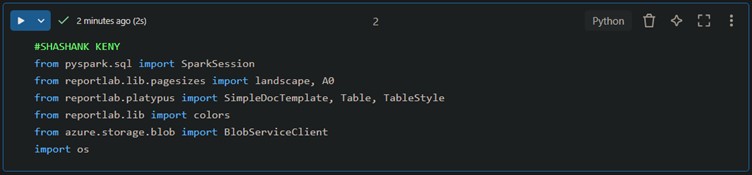
This imports essential libraries for data handling, visualization, and storage.
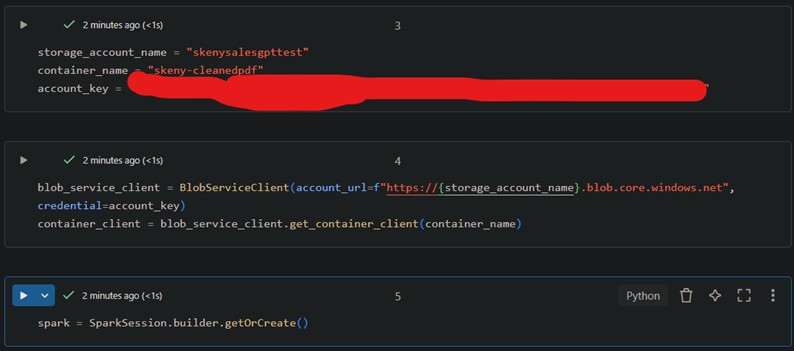
2. Connecting to Azure Blob Storage
This snippet authenticates the Databricks notebook with Azure Blob Storage and prepares a connection to upload the final PDFs; Initiates the Spark Session as well.
3. Cleaning Data: Raw to Silver Layer

Fetch all raw tables
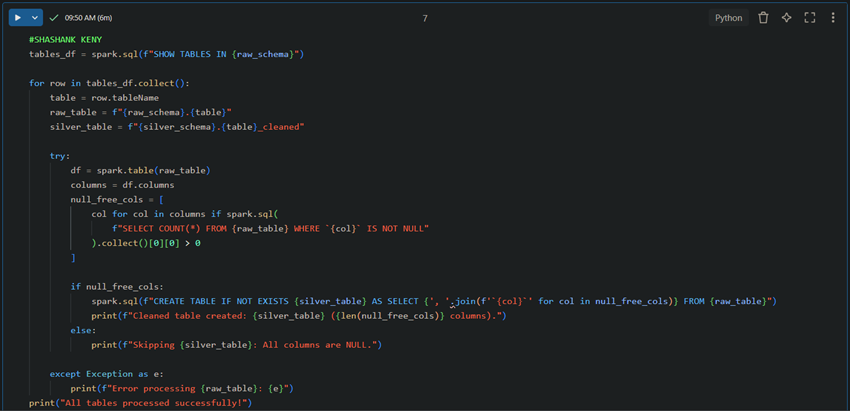
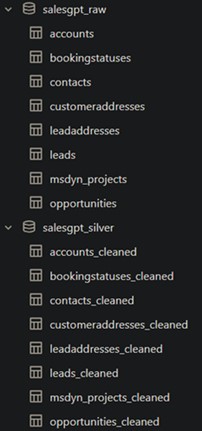
This dynamically removes NULL values from raw data and creates a cleaned table in the silver layer.
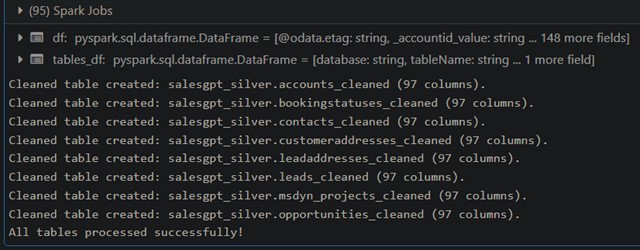
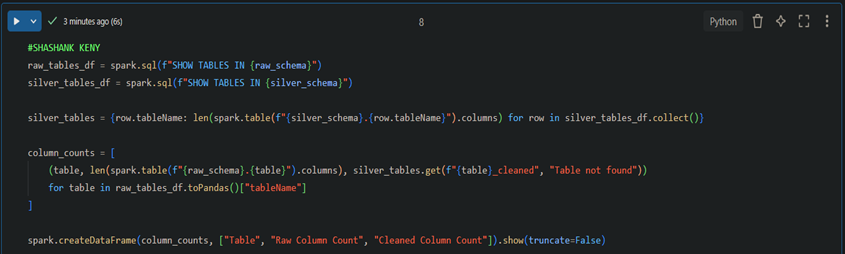
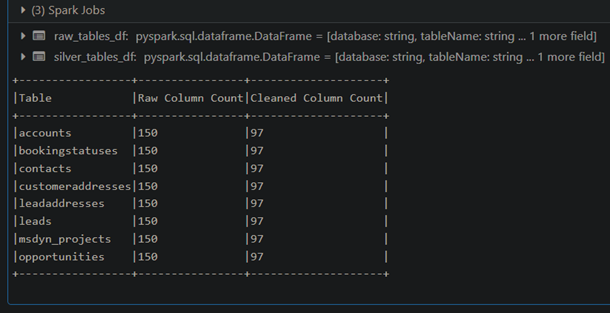
4. Verifying and comparing the Raw and the Cleaned (Silver)
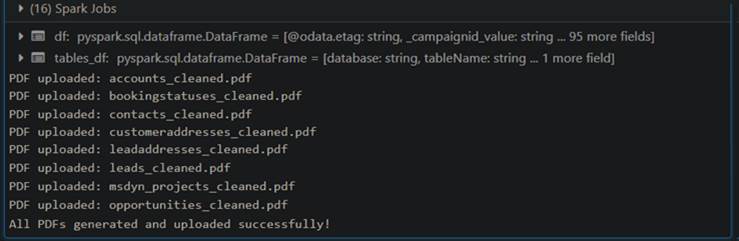
4. Converting Cleaned Data to PDFs
5. Converting Cleaned Data to PDFs

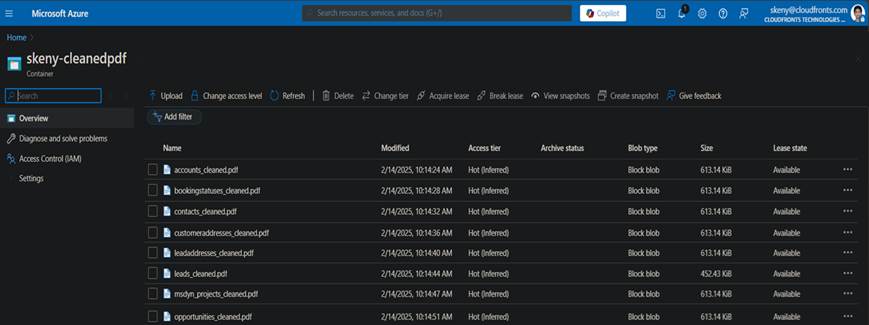
Output at the Azure Storage Container
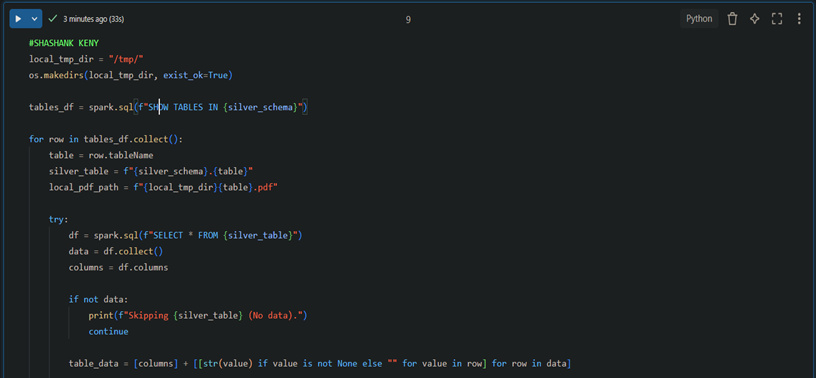
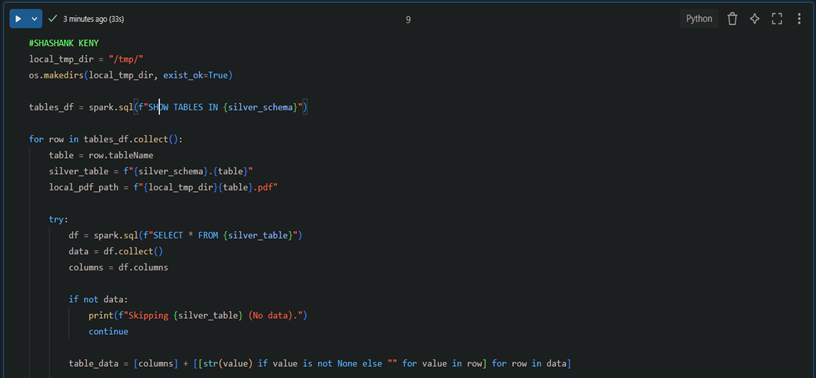
This process reads cleaned tables, converts them into PDFs with structured formatting, and uploads them to Azure Blob Storage.
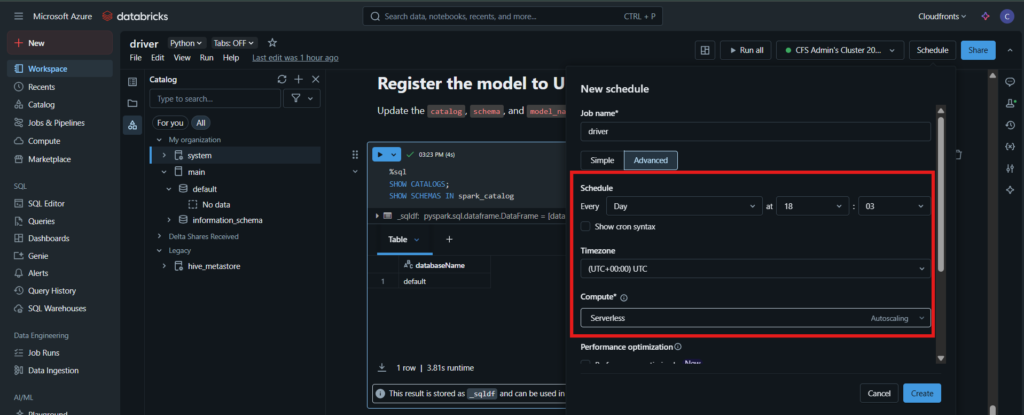
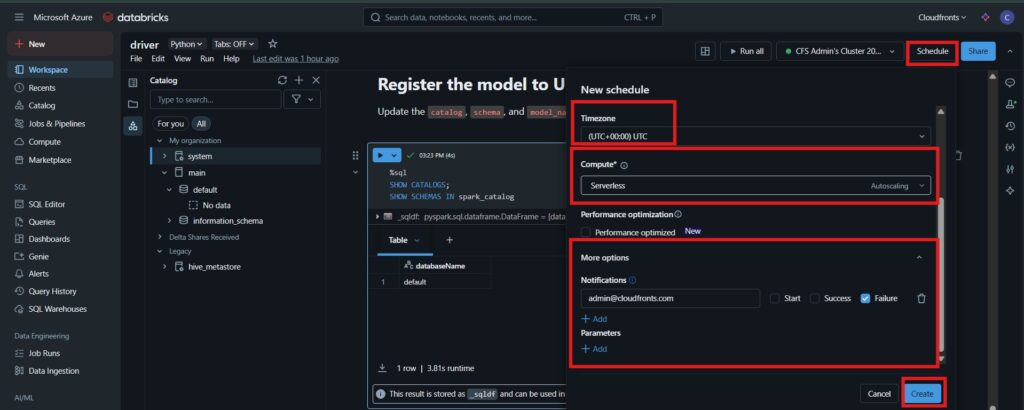
6. Automating cleaning at Databricks at fixed schedule
This is automated by scheduling the notebook & it’s associated compute instance to run at fixed intervals and timestamps.
Further actions: –
- a. Azure Portal credentials can be kept secure by using –
Databricks scoped credentials, also known as Databricks Secrets, to provide a secure way to manage sensitive information such as API keys, database credentials, and other secrets.
Instead of hardcoding credentials in notebooks or jobs, you can store them securely in secret scopes and reference them programmatically. This approach enhances security, simplifies credential management, and reduces the risk of accidental exposure.
Why Store Data in Azure Blob Storage?
- 1. Scalability: Handles large amounts of data efficiently.
- 2. Security: Role-based access and encryption.
- 3. Integration: Easily integrates with other Azure services like Synapse, Power BI, and Logic Apps.
- 4. Cost-Effective: Pay only for the storage you use.
To conclude, by leveraging Databricks, PySpark, SQL, ReportLab, and Azure Blob Storage, we have automated the pipeline from raw data ingestion to cleaned and formatted PDF reports. This approach ensures:
a. Efficient data cleansing using SQL queries dynamically.
b. Structured data transformation within the medallion architecture.
c. Seamless storage and accessibility through Azure Blob Storage.
This methodology can be extended to include Gold Layer processing for advanced analytics and reporting.
We hope you found this blog useful, and if you would like to discuss anything, you can reach out to us at transform@cloudFronts.com
