Change the Position of Data Card on the Form in PowerApps.
Introduction:
In this blog, we will learn how to set the position of Data Card in form.
Steps:
1.This is the form of Quote Product. Where all the Data Card is placed one after another.
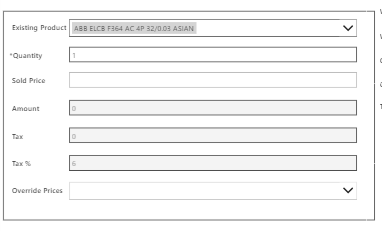
2.We want this card to be beside one another.
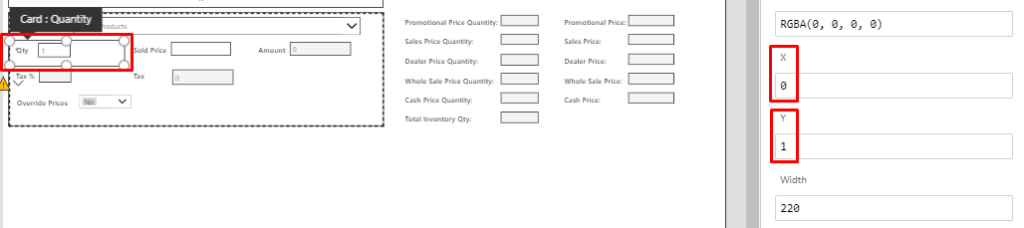
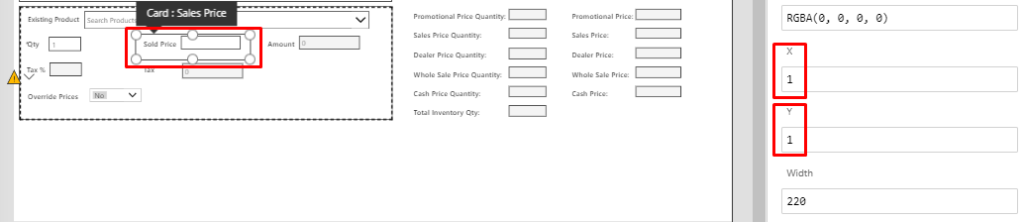
3.To achieve this, click on the Data Card and change X and Y property.
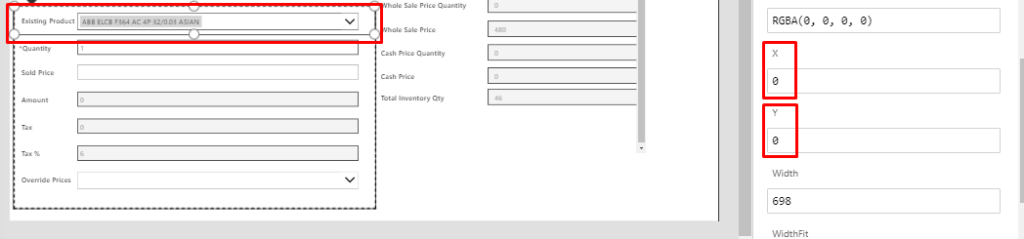
4.These are the X and Y of different Data Card.


Conclusion:
Hope the above Blog helps you to Change the Position of Data Card in Form.
Related posts:

From Client Secrets to Certificate-Based Authentication: Building a Secure Integration with Azure Ke...

From Multiple Data Sources to Azure Databricks: A Zero-Downtime Power BI Report Data Migration for F...
Using AI for Data Discipline That Drives Better AI Outcomes