

Customize Opportunity Close Dialogue Box
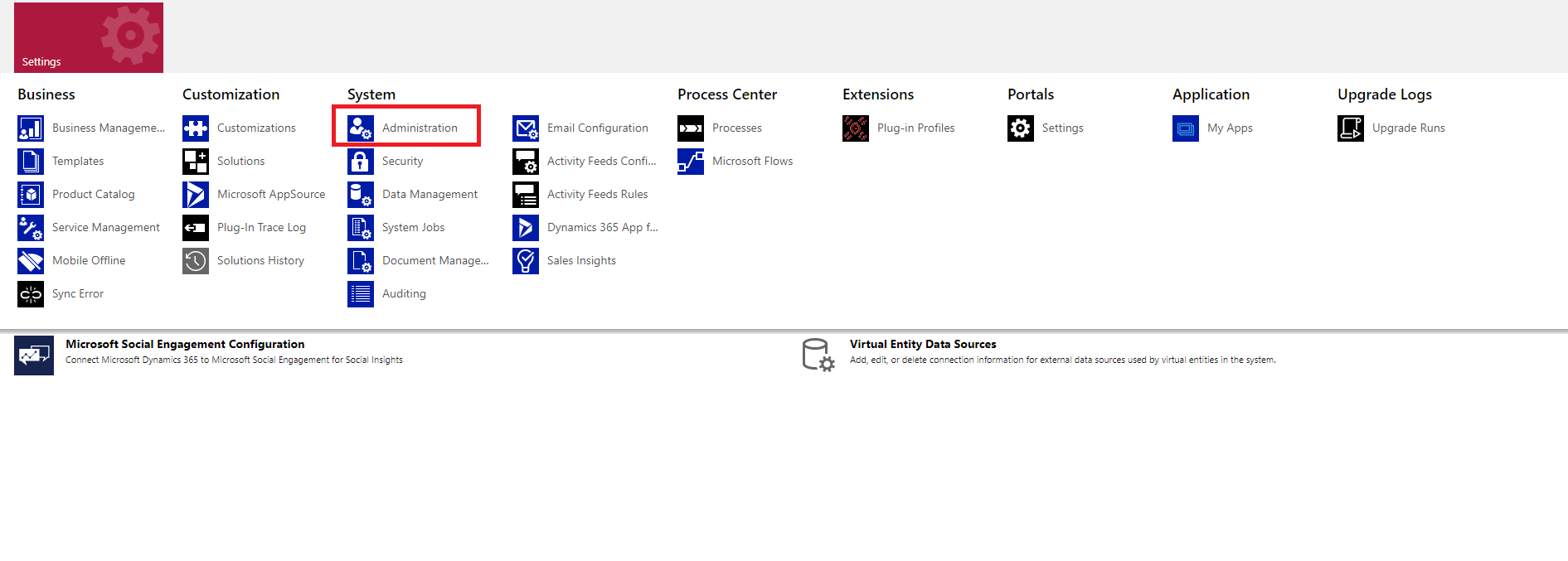
- Go to Admin settings.
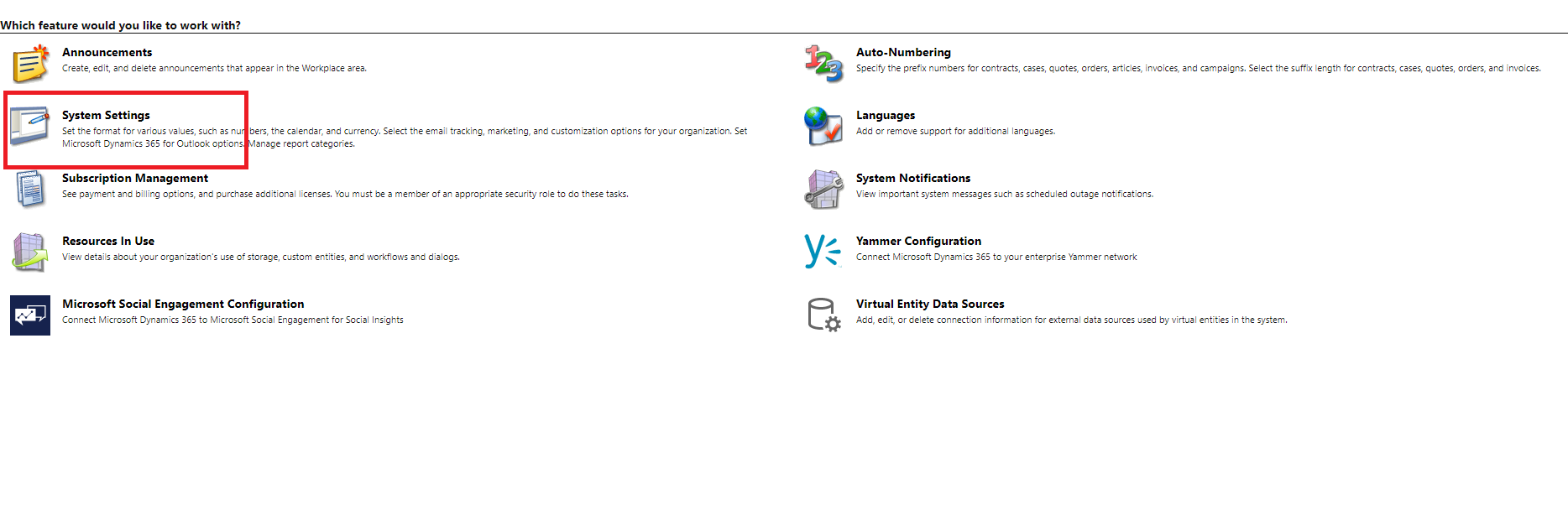
- Click on system settings
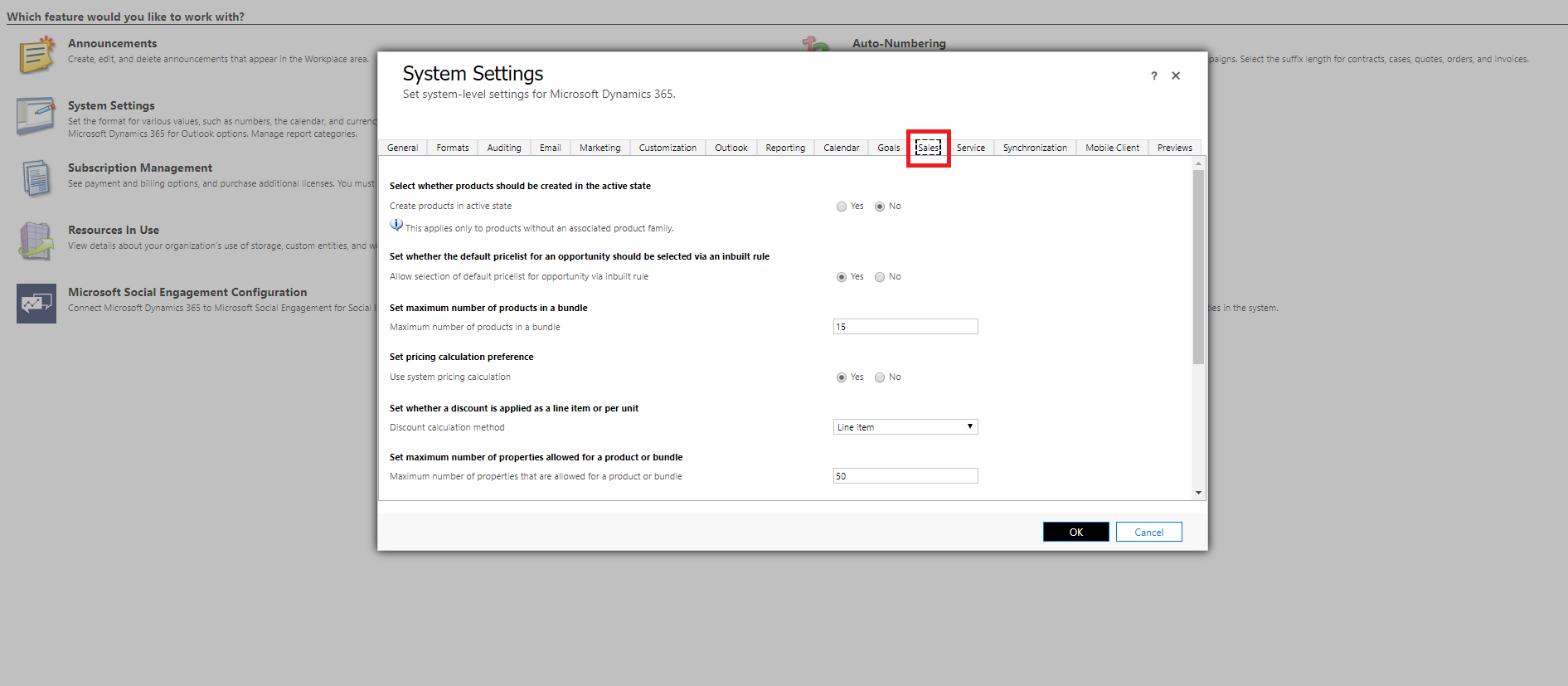
- After clicking on System settings, a popup opens, click sales tab as shown below.
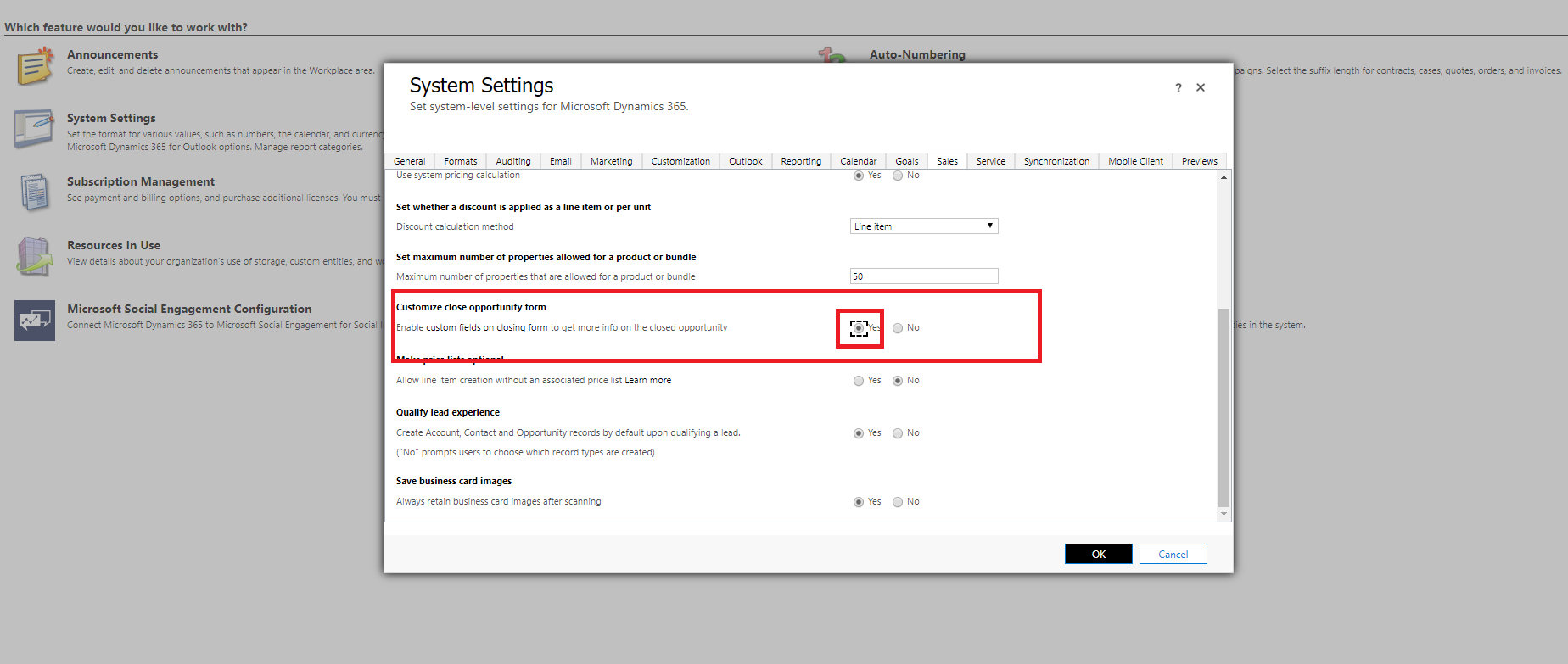
- Select Yes in Customize close opportunity form and click ok, refer below image.
Related posts:
Why Is Consumption Quantity Showing Zero in Dynamics 365 Business Central? A Pharma Manufacturing Ca...
How We Built a Role-Based Customer Portal in Microsoft Power Pages for a US-Based IT Services Provid...
From Scattered Reports to One Click: A Client-Ready Project Report Inside Dynamics 365