
Power BI September 2018 Update: Drillthrough To Another Report Page
The September update of Power BI features an important functionality: the option to drillthough to another page in that report. For example, if a user wants to see detailed data of a product ‘Product 2’, then they can right-click on Product 2 in the main report, select ‘Drillthrough’ and the relevant sub-report to have it automatically filter the sub-report for Product 2.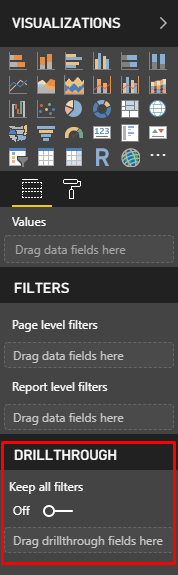
To do this, open your sub-report page and add any filters you require to be applied when the main report drills through to this report. For example, ‘Product’ and select ‘Used as category’.
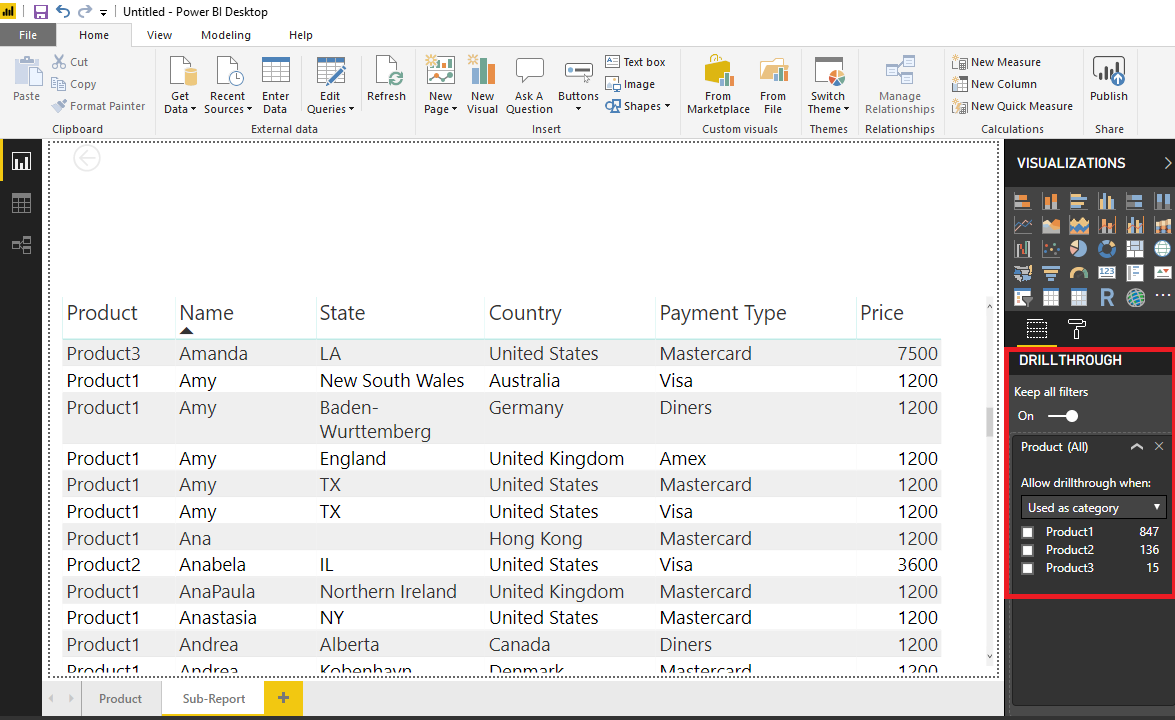
Go to the main report and select (right-click) on the Product you want to use to drillthrough, click on ‘Drillthrough’ and select the name of your sub-report.
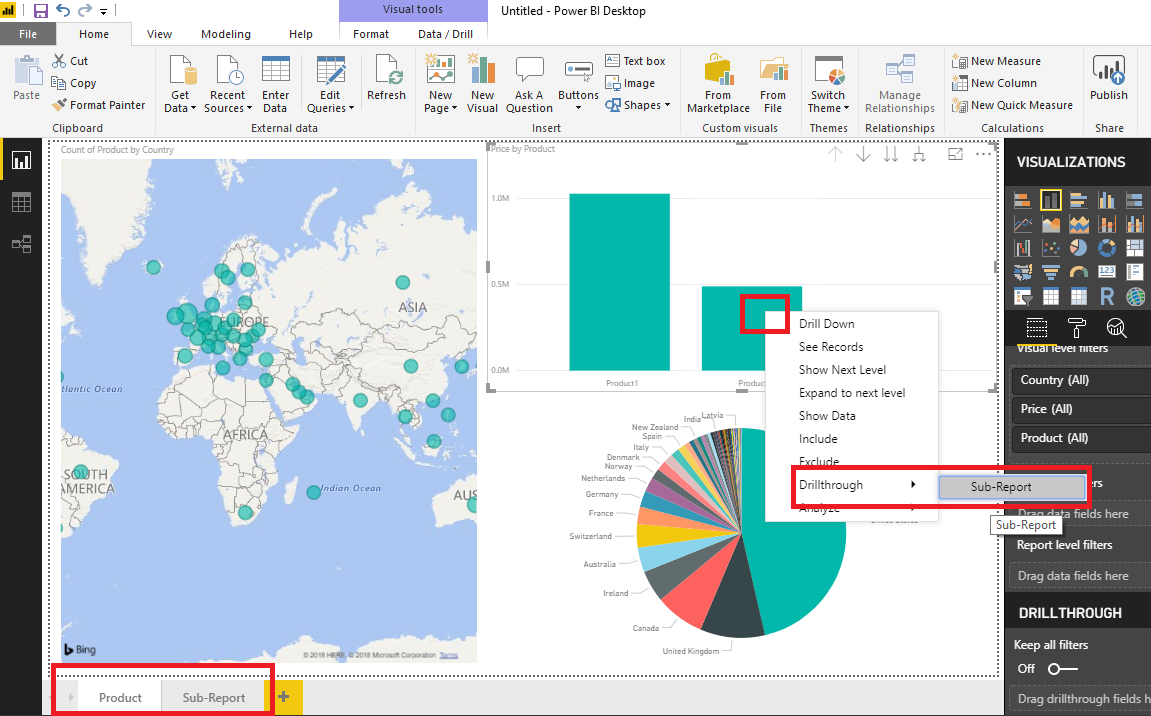
This will re-direct you to the sub-report, now filtered by the selected product.
Additionally, to go back to the main report, one can simply click the back ( <- ) button on the sub-report.
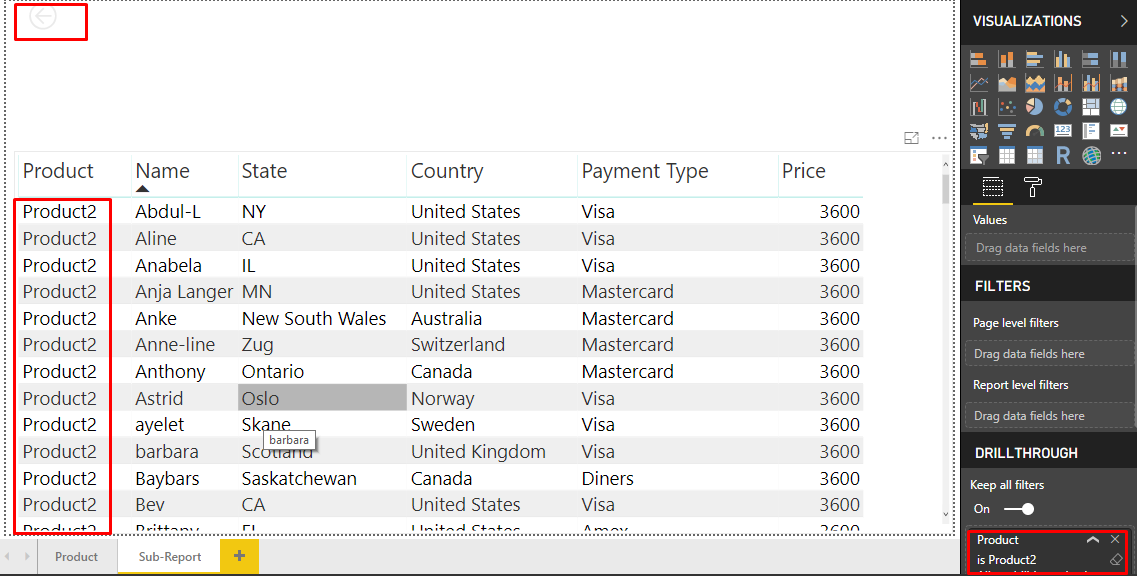
This feature enhances the users’ understanding of the data as well as greatly improves user experience.
Related posts:
Engineer-to-Order with Dynamics 365: How Project Operations Handles Planning and Business Central Ma...
Dynamics 365 SharePoint Integration: How to Display SharePoint Documents in a Custom Page Using Thre...
How a Leading North American Commercial Vehicle Manufacturer Surfaced Custom Warehouse Data on the W...