
How Dynamics 365 Business Central Automates Receivables Account Selection for Multi-Product Finance Teams
Summary
A housing finance company running Microsoft Dynamics 365 Business Central had more than 140 product and invoice combinations, each with its own receivable account. Every time someone posted a customer invoice or receipt, they had to know which account to use. Mistakes moved balances between products, month-end turned into reclassification work, and auditors kept asking why. We changed the process so that finance defines the rules once, and Business Central applies them on every posting, manual or automatic. Users now post to the customer as usual, the right receivable account is picked for them, and the customer ledger stays complete.
Table of Contents
Introduction
Ask a finance team at a lender how they post a customer receipt, and you will often hear: “We pick the right receivable account on each line.” It sounds like control. In practice it is one of the most common reasons month-end takes longer than it should.
A housing finance company we work with offers conventional mortgages, Islamic financing such as Istisna, Murabaha and Musharaka, government-backed schemes and unsecured loans. Each product has its own receivable accounts, and principal, interest, insurance and penalties often go to different accounts again. That adds up quickly.
140+
Product and invoice combinations, each with its own receivable account
1
Rule table that finance owns and maintains
0
Receivable accounts chosen by hand on customer postings
Their finance team asked for two things: keep every entry on the customer’s account, and stop asking people to choose the receivable account. This article explains how we did it with standard Business Central capabilities and what it changed for the business.
The Principle
People should record what happened. The system should decide where it goes in the books.
What Manual Account Selection Really Costs
When account selection depends on people, the cost does not show up on the day of posting. It shows up later, in places that are expensive to fix.
01
Month-End Rework
A wrong pick moves a balance from one product to another. Someone has to find it, understand it and post a correction before the books can close.
02
Unreliable Product Reporting
Portfolio, product profitability and regulatory reports all read from the receivable accounts. If the postings are wrong, so are the numbers management relies on.
03
Audit Questions
“Who decided this entry goes to this account, and why?” is hard to answer when the answer is “the person who posted it”. Auditors want a rule, not a person.
A common workaround makes it worse: posting straight to a G/L account instead of the customer. The balance lands in the right account, but the customer’s statement, ageing and payment history no longer match the books.
Does This Sound Like Your Finance Team?
This is not only a lending problem. Any business with several products, revenue streams or contract types runs into it. You will recognize it if:
- Users choose a receivable account or posting group when entering customer invoices or receipts.
- Month-end includes reclassification entries between receivable accounts.
- Product or segment reports need manual adjustments before they are trusted.
- Some receivables are posted to G/L accounts, so customer statements don’t match the balance sheet.
- New staff need weeks of training just to learn which account goes with which product.
- Automated invoicing and manual journals sometimes post the same thing to different accounts.
Key Insight
The question is not “how do we train people to pick the right account?” It is “why are people picking accounts at all?”
The Approach: Rules, Not Memory
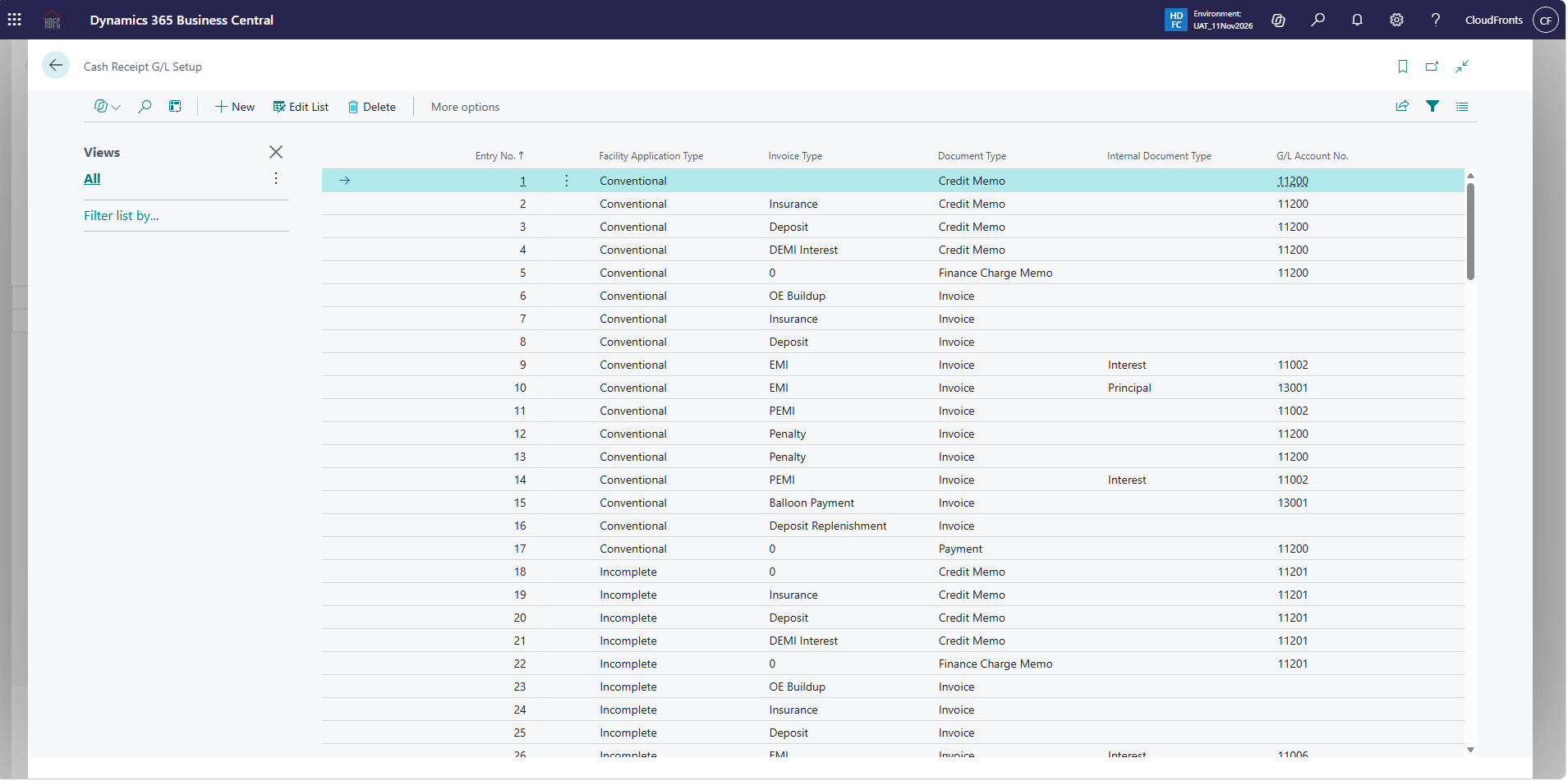
Business Central can link one customer to several receivable accounts through the standard Allow Multiple Posting Groups feature and Alternative Customer Posting Groups. We used that capability and added one simple layer on top: a rule table that finance owns.
Finance defines the rules
For each product and type of charge, which receivable account to use. Set up once, changed whenever products change.
Users record the transaction
The customer, the facility and the amount, exactly as before. No account to choose.
Business Central applies the rule
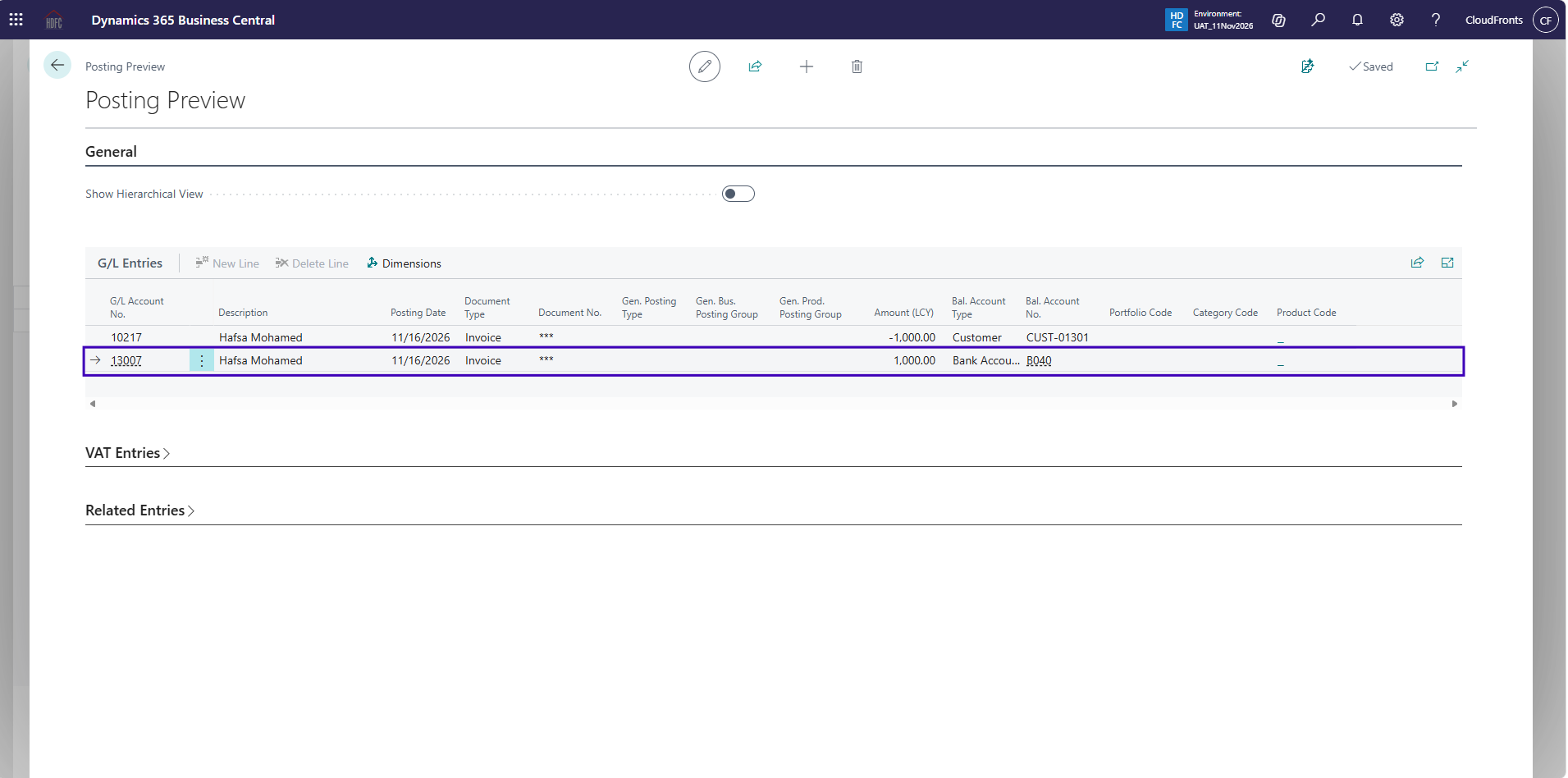
At posting, every customer entry goes to the right receivable account, whether a person or a nightly job created it.
An example of what the rules look like:
| Product | Charge | Receivable Account |
|---|---|---|
| Conventional mortgage | Monthly principal | Conventional – Principal Receivable |
| Conventional mortgage | Monthly interest | Conventional – Interest Receivable |
| Islamic financing | Monthly profit | Islamic – Profit Receivable |
| Unsecured loan | Any charge | Unsecured – Receivable |
A rule can be specific (“this product, this charge”) or general (“anything for this product”). The most specific rule wins, so a handful of general rules covers most cases and exceptions are added only where needed.
What Changes for Your Team Day to Day
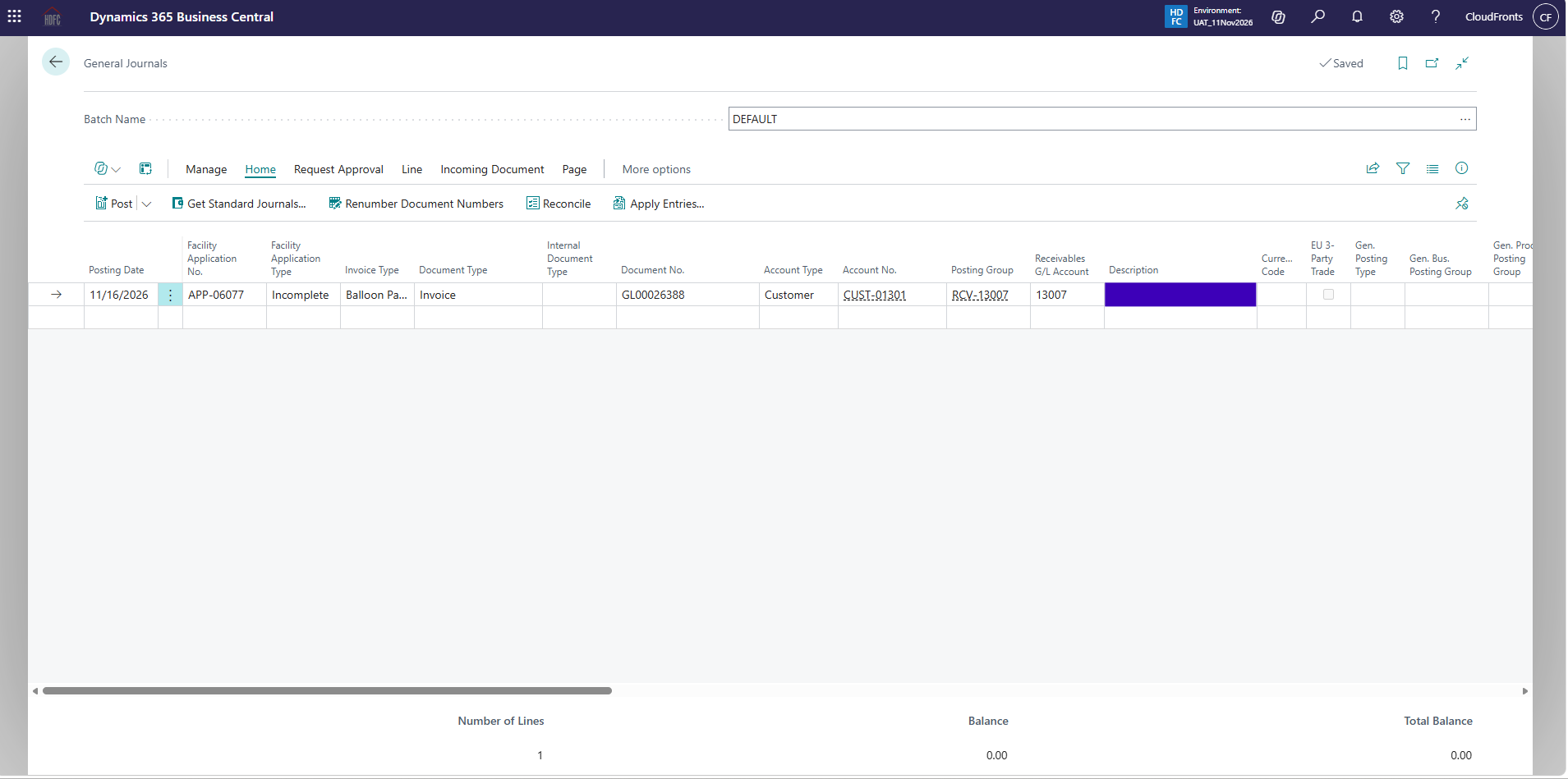
Posting a customer entry, after the change
Enter Customer and Facility
→
Enter Amount
→
Account Selected Automatically
→
Post
→
Right Account, Every Time
Less to Think About
They post to the customer as usual. The posting group, and so the receivable account, is shown on the line for reference but is no longer theirs to choose.
One Place to Control It
The rules sit in one setup page. A new product or account change is a new row, not a retraining exercise or a code change.
A Clear Answer
Every receivable posting follows a documented rule, so “why did this go here?” has a simple, consistent answer.
What Stays the Same
Customer statements, ageing, reminders and payment application work exactly as standard Business Central, because every entry still posts to the customer.
Before and After
| Area | Before | After |
|---|---|---|
| Choosing the account | User picks on every line | Rule picks it automatically |
| Automated invoicing | Separate logic, can disagree with manual postings | Same rules for jobs and people |
| Customer ledger | Incomplete when entries went to G/L accounts | Every entry on the customer’s account |
| Month-end | Reclassifications between receivable accounts | Review instead of rework |
| New product | Retrain users, hope they remember | Add one rule |
| Audit trail | Depends on who posted | Every posting traceable to a rule |
How CloudFronts Delivers It
This is a focused change to an existing Business Central setup, not a reimplementation. We typically run it in four steps.
01
Map Your Receivables
We sit with finance to list products, charge types and the receivable account each one should use, and flag any gaps.
02
Configure the Rules
We set up the rule table and load your mapping, using general rules where possible and exceptions only where needed.
03
Test with Real Scenarios
Invoices, receipts, partial payments and automated jobs are tested in a sandbox with your finance team before go-live.
04
Hand Over to Finance
Your finance team owns the rules from day one. Adding a product later needs no developer.
Business Impact
Faster, Cleaner Month-End
Finance reviews balances instead of hunting for and correcting misposted entries.
Reports You Can Trust
Product and portfolio figures come straight from correctly posted receivables.
Complete Customer View
Statements, ageing and collections always match the books.
Easier Onboarding
New team members post correctly from day one, without learning account rules by heart.
Audit-Ready by Design
Every receivable posting follows a rule finance has approved and can show.
Questions Finance Leaders Ask Us
Is this a customization or standard Business Central?
It builds on a standard capability: Allow Multiple Posting Groups, which links one customer to several receivable accounts through alternative customer posting groups. We add a small rule layer so the right posting group, and so the right account, is chosen automatically. Your standard processes, reports and upgrades are not affected.
We’re not a lender. Does this still apply?
Yes. Any business with several product lines, contract types or revenue streams that need separate receivable accounts can use the same approach, for example property, education, leasing or subscription businesses.
Does it work with our automated invoicing?
Yes. The rule is applied when the entry is posted, so automated jobs, integrations and manual journals all follow the same rules.
What happens when we launch a new product?
Finance adds a rule in the setup page. No developer, no retraining and no change to how users post.
Will our existing data need to be changed?
No. The rules apply to new postings from go-live. Existing balances stay as they are, and we can help review and clean up historical misposting separately if needed.
Conclusion
Asking people to choose receivable accounts looks like control, but it puts an accounting rule in people’s memory. Moving that rule into Business Central gives finance real control: one place to define it, the same result on every posting, and a clear answer for auditors.
For this housing finance company, it meant users post to the customer as they always did, the receivable accounts are right every time, and finance spends month-end reviewing numbers instead of correcting them.
Key Takeaway
Let your team record what happened, and let Business Central decide where it goes. Your finance team should never have to pick a receivable account again.
Coming Up in Part 2
One payment, many receivable accounts: how a single customer receipt is split across principal, interest and other receivables when it is applied to invoices.
Is your finance team still choosing receivable accounts by hand?
CloudFronts helps lenders and multi-product businesses get more from Microsoft Dynamics 365 Business Central, from receivables and invoicing automation to approvals and reporting. Book a 30-minute session and we’ll show you how this would work with your products and chart of accounts.
Contact us at transform@cloudfronts.comAbout the Author

Related posts:
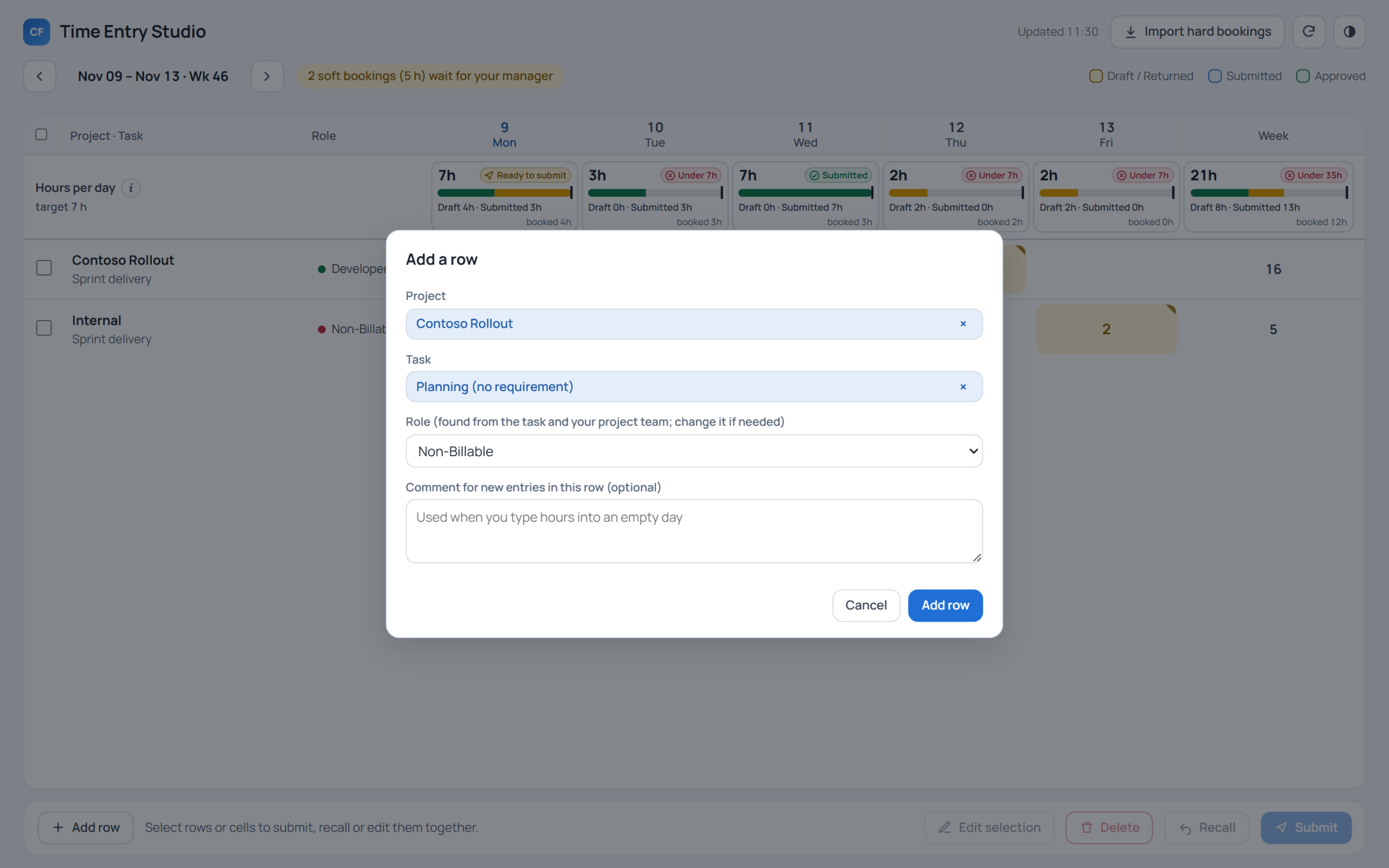
How to Create Draft Time Entries from Hard Bookings in Dynamics 365 Project Operations

How an Australian Commercial Laundry Provider Automated Customer Emails and Contract Change Notifica...
How a U.S.-Based Consumer Appliance Manufacturer Automated FedEx Shipment Creation, Cancellation, an...