Power BI Reports sharing with Teams and Partners
Introduction
With the latest release of Power BI, new feature has been added to share the power BI reports as well. Yes, you heard it right, now we can share the Power BI Reports as well to teams and partners.
How it works:
Go to your workspace and open the report that needs to be shared.
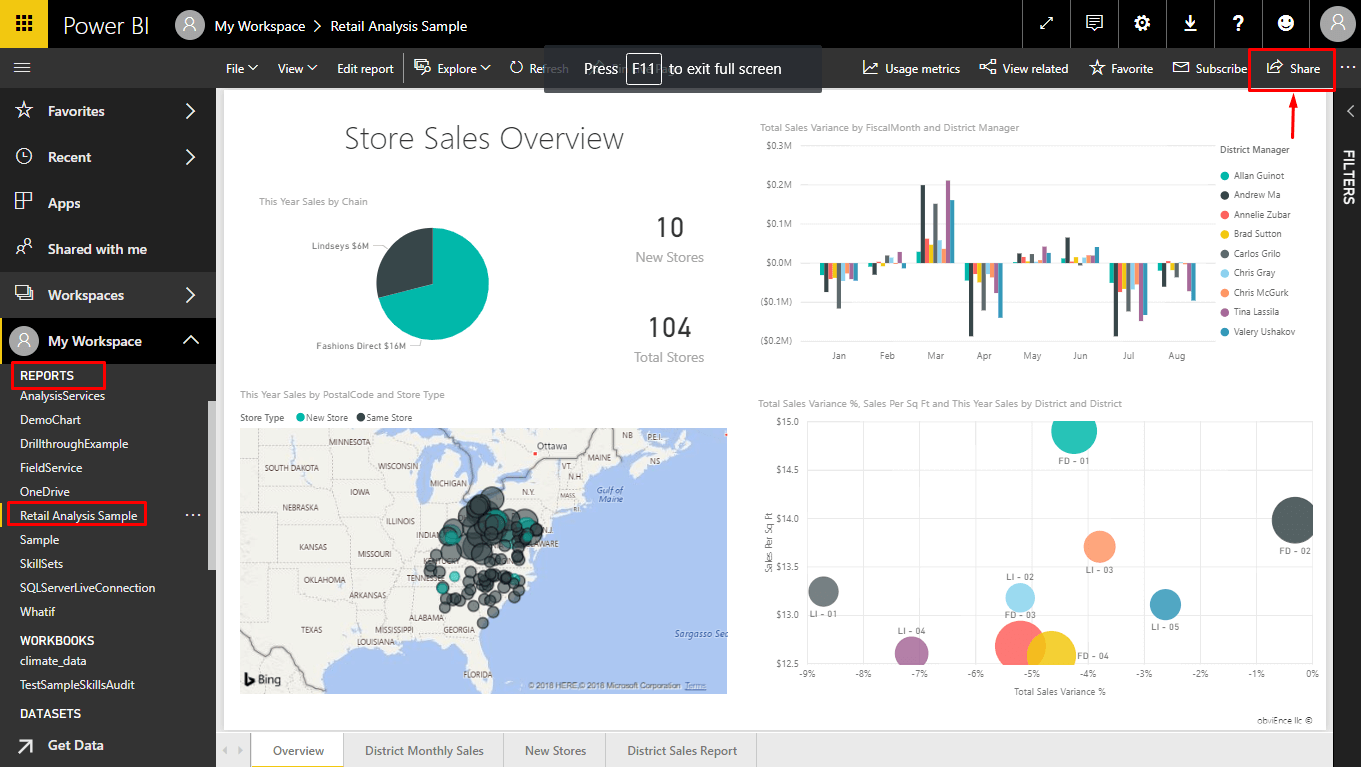
Click on the share option.
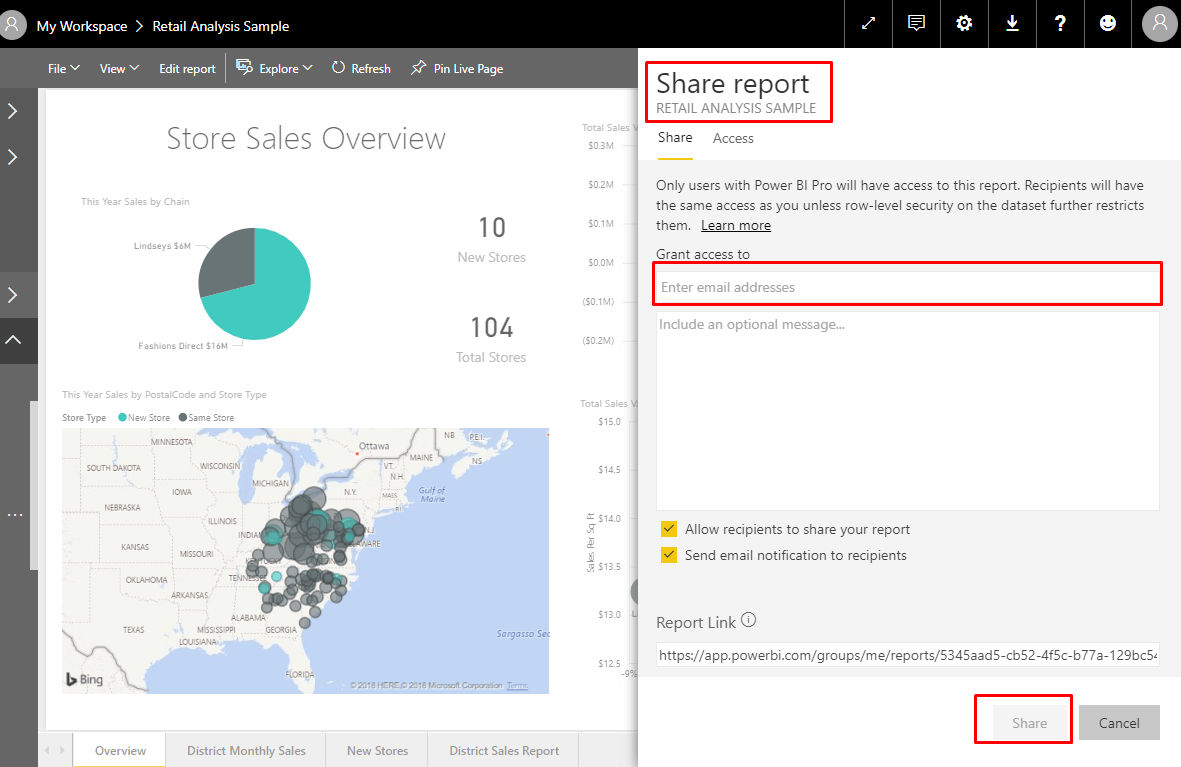
Enter the email address and click on share, if the send email notification option is checked then notification will be send to users.
Conclusion:
This is a superb feature that is added to power bi, allowing organization to share reports as well with dashboards for detailed information.
Related posts:

How a Multi-Country Infrastructure Group Evaluated One vs Two Production Environments in Dynamics 36...
How an Australian Linen Company Made Quote Approvals Secure with One Time Links in Dynamics 365
Recovering Lost Approval History After a Purchase Order Deletion in Business Central