How to Apply Row Level Security in Power BI
In today’s data-driven world, security is a top priority. As organizations rely on Power BI for analytics and reporting, ensuring that users only see data relevant to their roles is crucial. This is where Row-Level Security (RLS) comes into play.
RLS allows you to restrict access to data at the row level based on user roles. In this blog, we’ll guide you through the process of implementing RLS in Power BI, ensuring your data is both secure and personalized for every user.
What is Row-Level Security (RLS)?
Row-Level Security is a feature in Power BI that enables you to control access to rows of data based on user roles. By applying RLS, you ensure that users see only the data relevant to their responsibilities, preventing unauthorized access.
Why is RLS Important?
- a) Enhanced Security: Protect sensitive information by limiting access.
- b) Improved User Experience: Provide a tailored view for each user, reducing confusion.
- c) Compliance: Ensure adherence to data governance and regulatory requirements.
Step 1: Open Power BI go to Modeling tab and click on manage roles

Step 2: Add new roles select the appropriate table then filter the required data.
Here I have done the filter based on the region, so I am giving access to the East region to the selected user.

Step 3: Publish the report to the service or you can check from the Power BI Desktop app


Step 4: Now, remove the View as the role from the desktop, publish the report in the service, and give access to the user as per requirement.
Conclusion:
Row-Level Security is an indispensable tool for ensuring data security and personalization in Power BI. By restricting access to data based on roles, you can enhance user experiences, improve compliance, and safeguard sensitive information.
Ready to secure your Power BI reports with Row-Level Security? Start by identifying your data access requirements and defining roles in Power BI Desktop. If you need expert guidance, feel free to reach out, at transform@cloudfonts.com. or explore more Power BI tips on our blog.
Related posts:
From Default to Dynamic: Transforming Dynamics CRM Subgrids with Custom HTML for a Netherlands-Based...
How We Built & Deployed a Mobile-Based Canvas App for Unified Time, Expense (with Receipts) &...
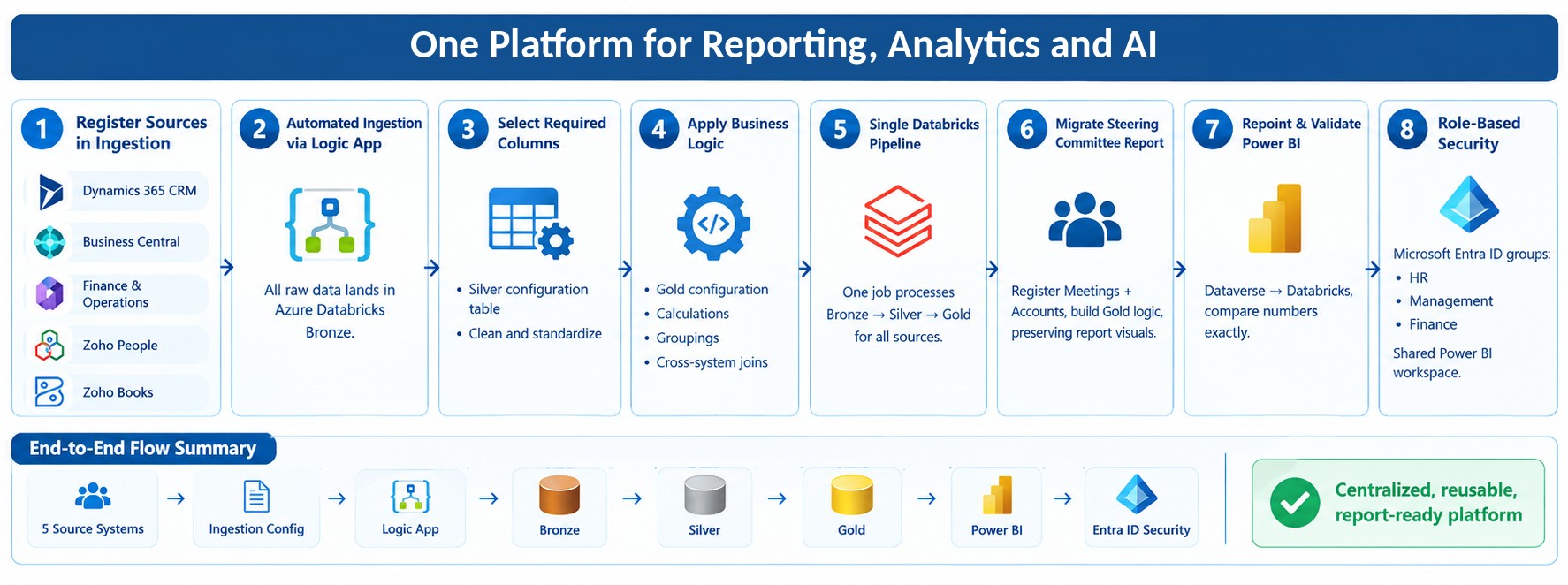
Building a Reliable Bronze Silver Gold Data Pipeline in Databricks for Enterprise Reporting
Stop Hard-Coding Recipients: Streamlining Email Automation with Dataverse and Power Automate for a U...
Share Story :
SEARCH BLOGS :
FOLLOW CLOUDFRONTS BLOG :
Enter your email address to follow this blog and receive notifications of new posts by email.
Categories
- AI (13)
- Azure (139)
- Azure AI Search (1)
- Azure and Office 365 (111)
- Azure App Services (3)
- Azure Blob Storage (5)
- Azure Data Factory (2)
- Azure Databricks (24)
- Azure DevOps Services (7)
- Azure Function (19)
- Azure Integration (9)
- Azure Synapse Analytics (3)
- B2B (1)
- Blog (1,552)
- Business Process Flow (4)
- C# (11)
- Canvas Apps (1)
- Cloud flows (22)
- CloudFlows (11)
- Copilot (5)
- Custom Copilot (3)
- Customer Success (81)
- d365 (9)
- D365 Business Central (351)
- D365 Commerce (5)
- D365 CRM Plugins (3)
- D365 Customer Service (65)
- D365 Field Service (21)
- D365 Finance (14)
- D365 Finance and Operations (253)
- D365 General (304)
- D365 Project Operations (17)
- D365 Project Service Automation (61)
- D365 Retail (60)
- D365 Sales (60)
- D365 SCM (14)
- Data (7)
- Data Governance (1)
- DataBricks (18)
- Dataverse (20)
- Delta Lake (2)
- Demand and Supply Forecasting (1)
- Dot Net (4)
- Dynamics 365 (281)
- Dynamics 365, Business (40)
- Dynamics AX (44)
- Dynamics CRM (169)
- Dynamics NAV (15)
- InforLN (1)
- Integrations (2)
- JavaScript (16)
- Logic App (43)
- LS Central (13)
- Model-Driven App (9)
- MS Teams (6)
- Odoo (1)
- OpenAI (2)
- Outlook (1)
- Outlook (1)
- Paginated Report (2)
- Power Automate (72)
- Power BI (223)
- Power Fx (1)
- Power Plattform (24)
- Power Query (9)
- Power Virtual Agent (2)
- PowerApps (60)
- PowerApps Portal (13)
- Press Releases (67)
- Project Management (6)
- Project Service Automation (10)
- Ribbon Workbench (3)
- Ribbon Workbench (2)
- Salesforce (2)
- SharePoint (6)
- SQL Server (9)
- SSIS (1)
- SSRS Report (7)
- Thought Leadership Article (29)
- Tibco (3)
- Unity Catalog (2)
- XRM ToolBox (1)
RECENT UPDATES
- From Default to Dynamic: Transforming Dynamics CRM Subgrids with Custom HTML for a Netherlands-Based Sustainability Certification Non-Profit
- How We Built & Deployed a Mobile-Based Canvas App for Unified Time, Expense (with Receipts) & Material Submission with Project-Based Approvals for a US Cybersecurity Firm
- Building a Reliable Bronze Silver Gold Data Pipeline in Databricks for Enterprise Reporting
- Stop Hard-Coding Recipients: Streamlining Email Automation with Dataverse and Power Automate for a U.S.-Based Window and Door Manufacturer
- Stop Creating Entities: Simplifying CRM with JSON and Custom HTML for a Sustainability Certification Non-Profit in the Netherlands