

Real-Time PDF Report Generation on Power Pages: Replacing SSRS with Azure Function Apps for a US-Based Cybersecurity Firm
Summary
- A Houston-based cybersecurity firm eliminated report failures (~65%) by replacing SSRS with an Azure Function App pipeline.
- Dynamics 365 bound action ensured authentication stayed internal, bypassing Defender-related token failures.
- Integrated Power Pages, Power Automate, Dynamics 365, and Azure Functions for real-time PDF generation.
- Report generation time reduced from 3–8 minutes to under 15 seconds with zero infrastructure overhead.
Table of Contents
1. About the Customer
The client is a technology consulting and cybersecurity services firm based in Houston, Texas. They manage multiple concurrent client engagements using Dynamics 365 Project Operations as their core platform.
Project managers and clients access live project data through a customer-facing portal built on Microsoft Power Pages.
2. The Challenge
The organization needed one-click downloadable Project Status Reports from their Power Pages portal covering risks, issues, logs, and timelines.
Their SSRS-based solution failed frequently due to authentication breakdowns caused by Microsoft Defender for Cloud Apps across multiple service boundaries.
Key pain points:
- Silent authentication failures with no clear errors
- Retry delays of 60–90 seconds per attempt
- Separate SSRS infrastructure dependency
- Slow report customization cycle
Project managers avoided generating reports during live meetings due to reliability concerns.
3. The Solution
At Cloudfronts, while working on this project, I replaced the SSRS pipeline entirely with a synchronous, serverless architecture that keeps the authentication context inside the Dynamics 365 service layer.
Technologies Used:
- Dynamics 365 Project Operations
- Power Pages
- Power Automate
- Plugins
- Azure Function Apps
The solution generates fully formatted PDFs in real time using structured JSON payloads.
This eliminated authentication failures while significantly improving speed and reliability.
4. Technical Implementation
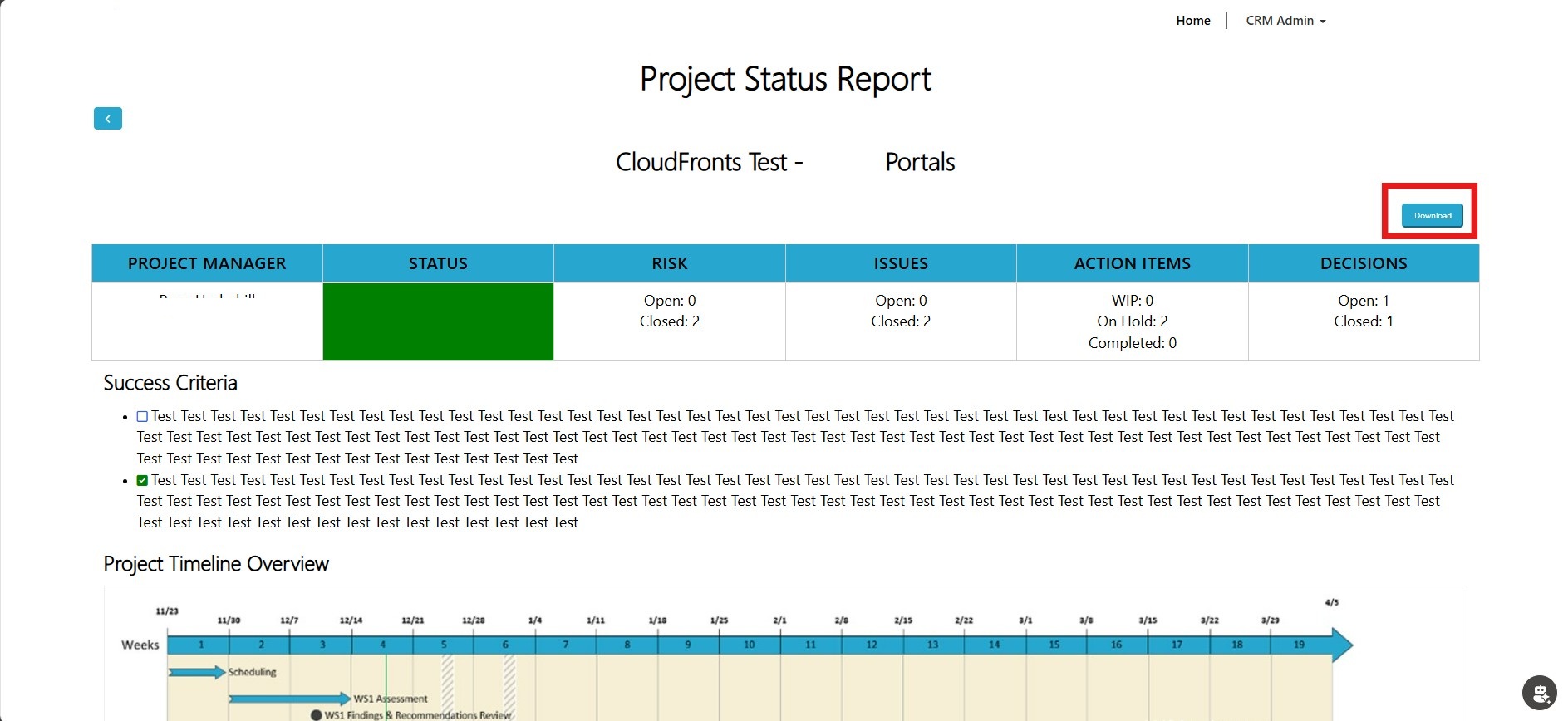
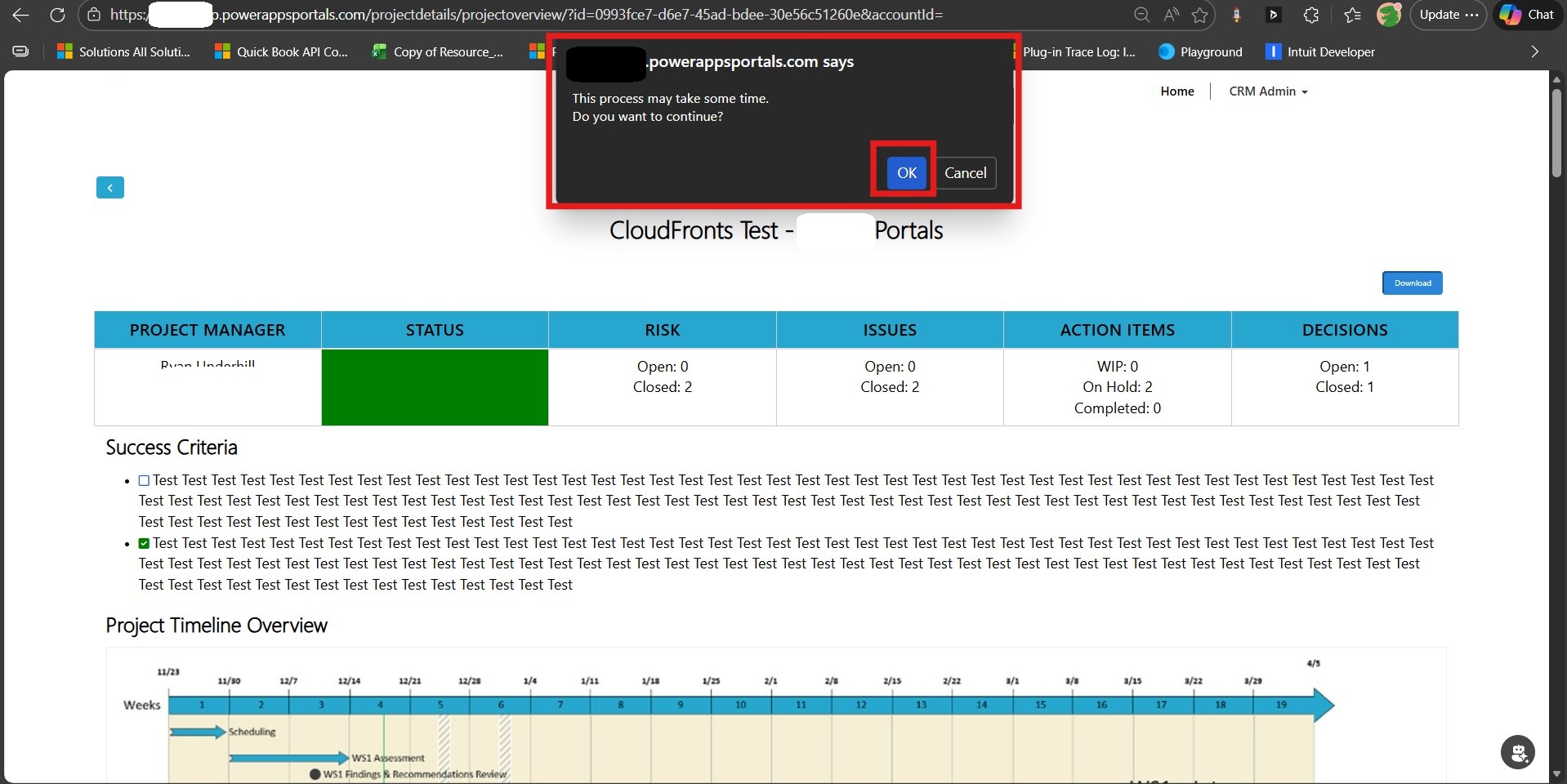
1] Power Pages Button triggers Flow
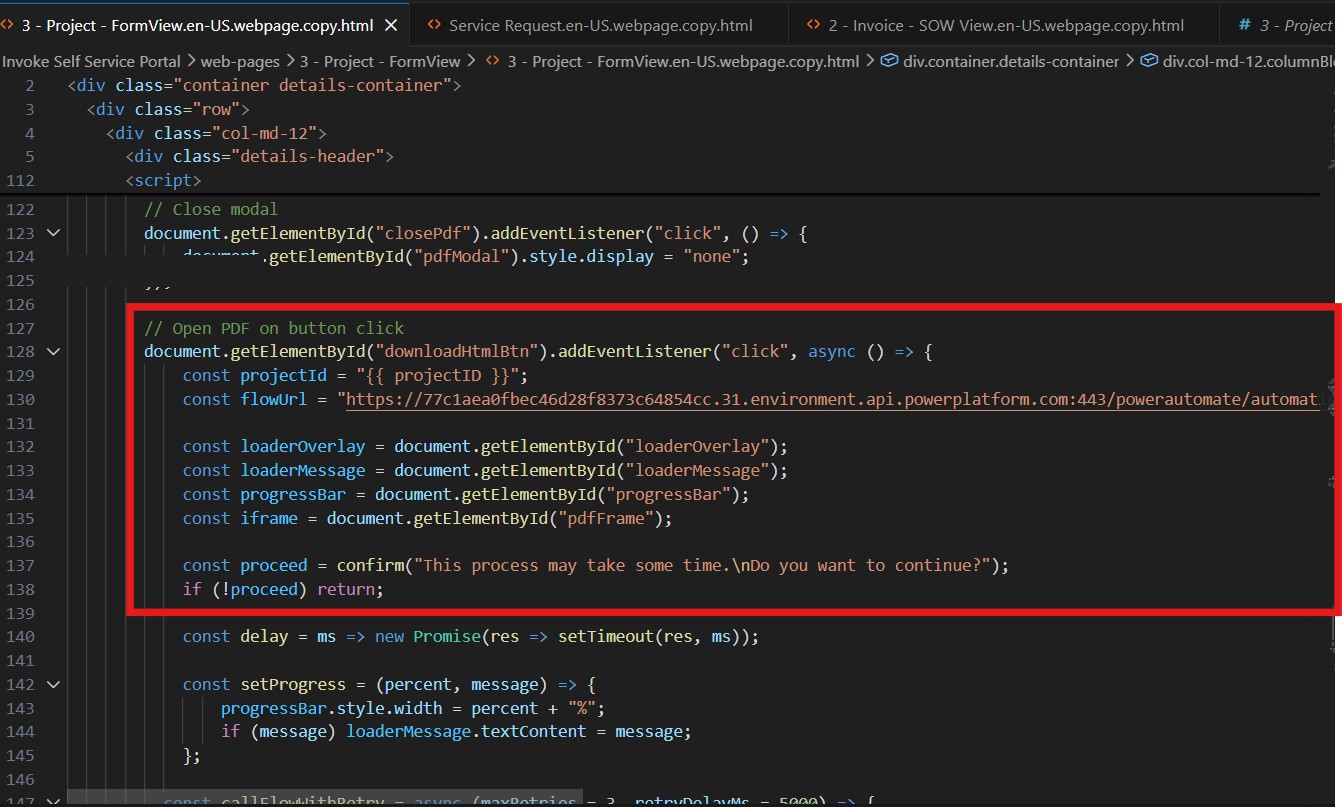
A “Download Report” button captures the project GUID and triggers a Power Automate flow with real-time progress feedback.
2] Dynamics 365 Plugin prepares JSON payload
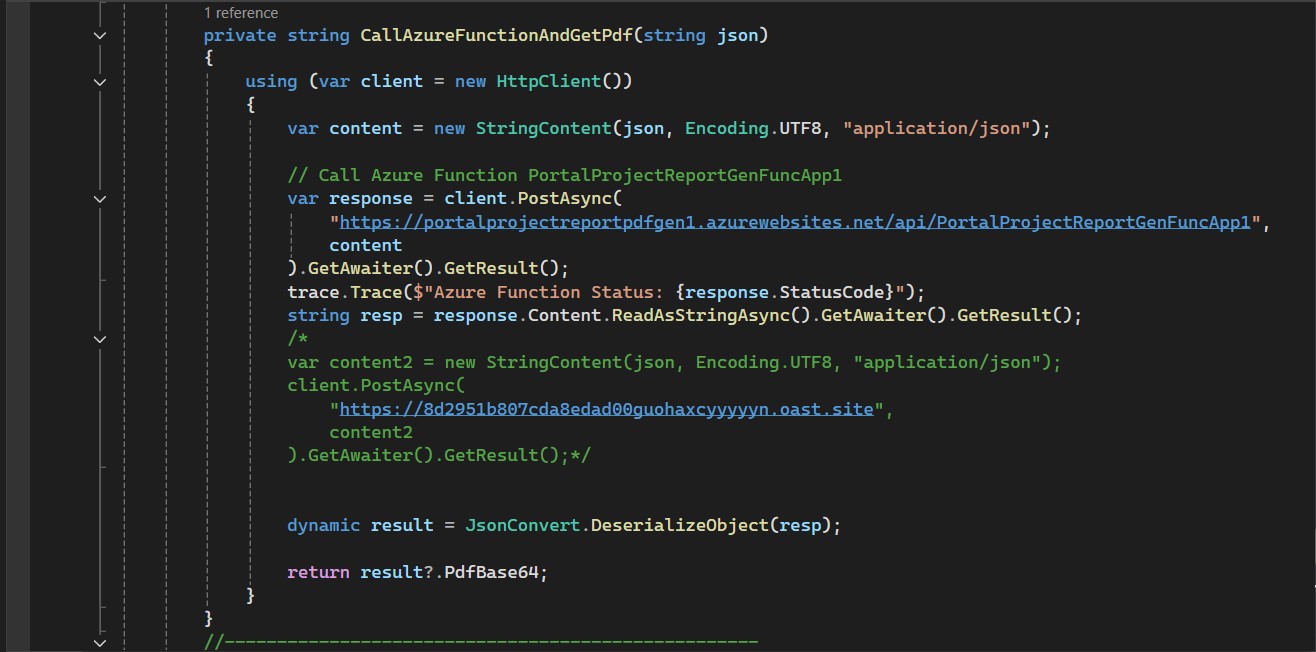
A bound action plugin retrieves all project data and converts it into a clean JSON payload for PDF generation.
3] Azure Function generates PDF
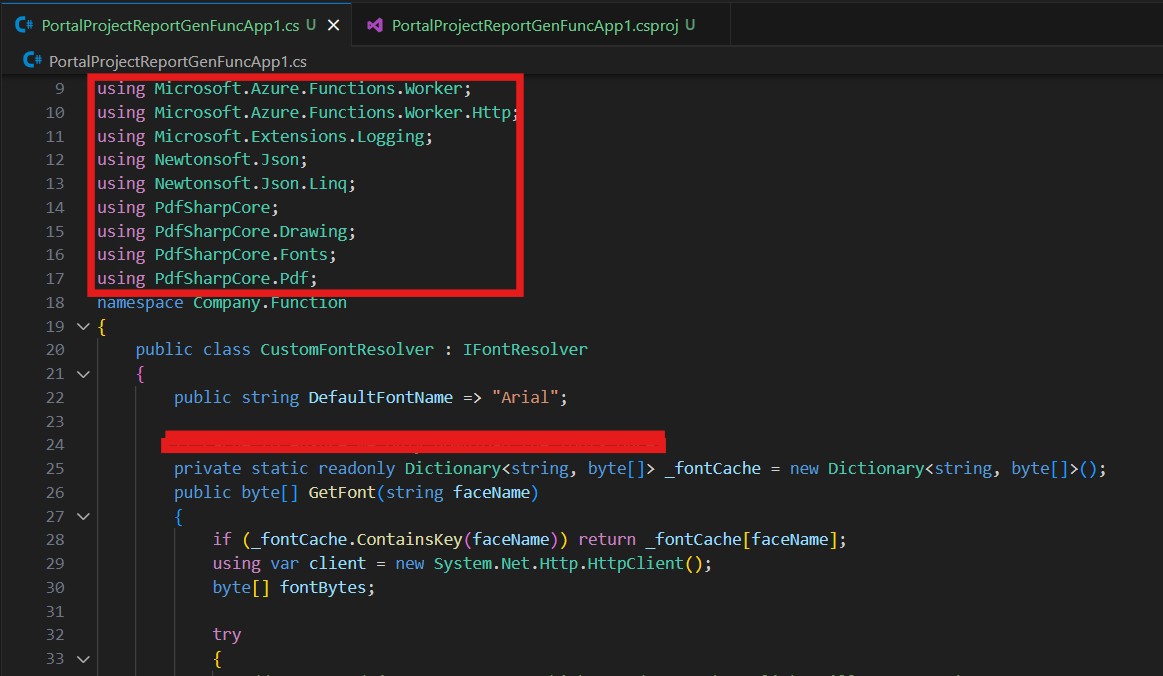
The Azure Function processes the JSON and generates a formatted PDF, returning it as a Base64 string.
4] SharePoint Integration
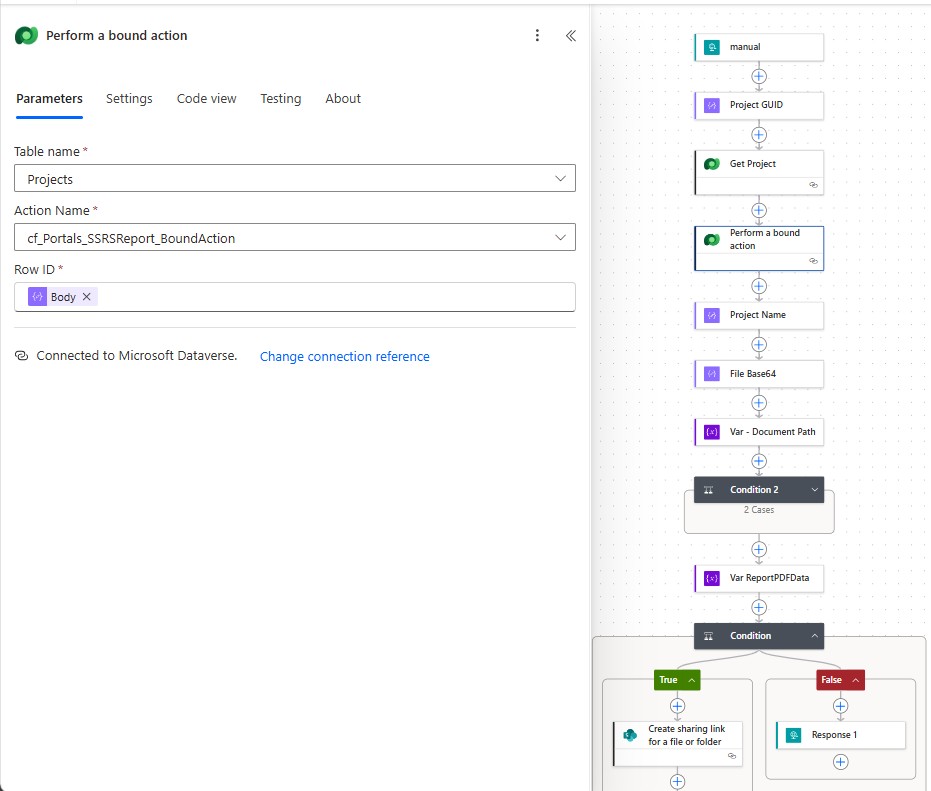
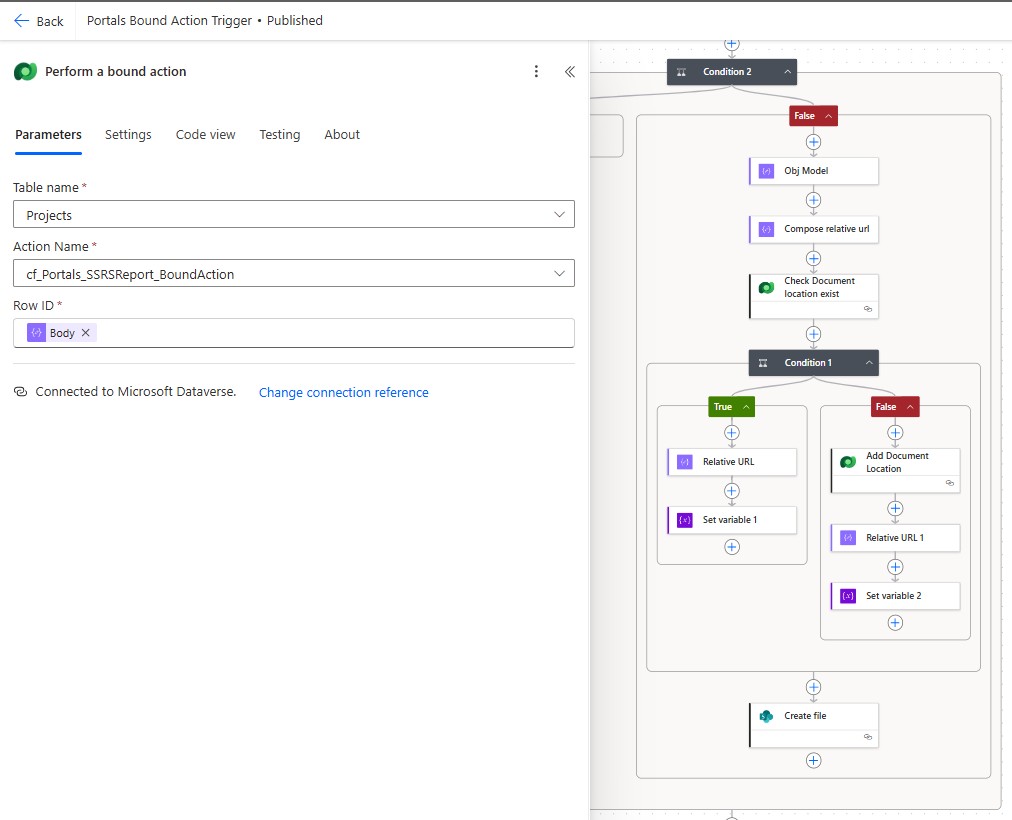
The generated PDF is automatically stored in the associated SharePoint document location linked to the project. This ensures centralized document management, version control, and easy access for stakeholders directly within the project workspace.
5] Portal PDF Preview
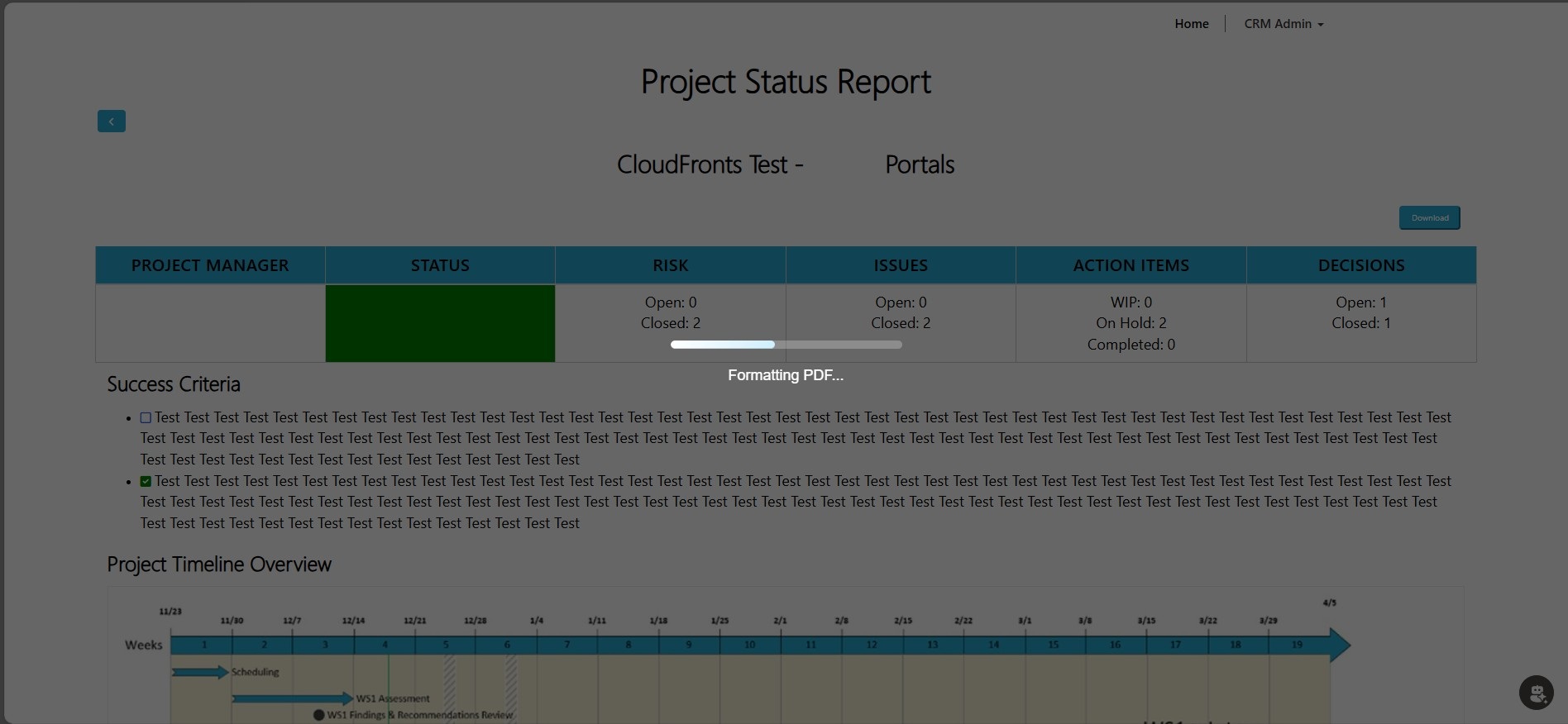
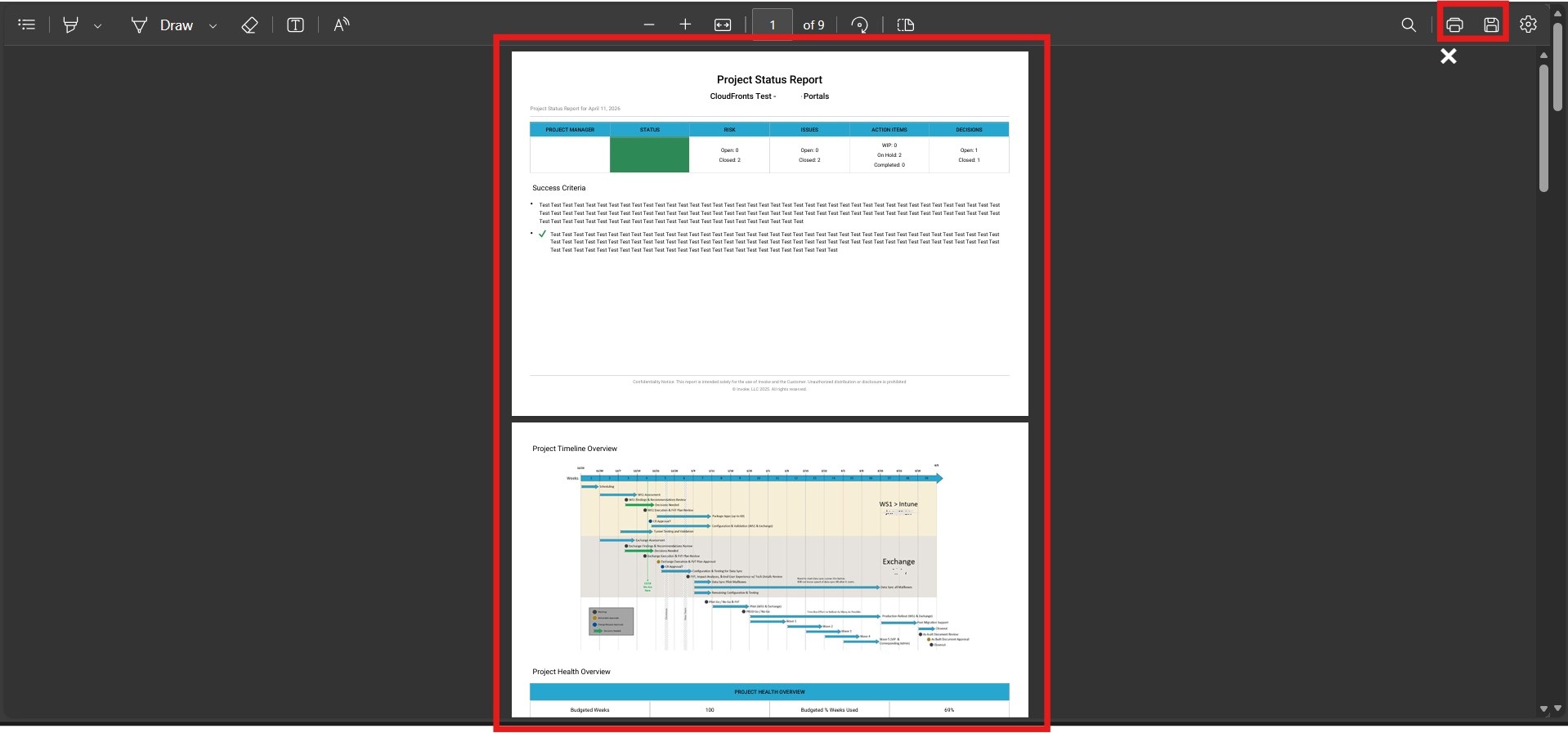
The Base64 PDF is rendered directly in the portal using an iframe, allowing instant preview and download.
Video: End-to-end implementation of real-time PDF report generation.
5. Business Impact
- 100% success rate — zero failures post deployment
- Under 15 seconds report generation time
- No infrastructure — fully serverless
- Zero authentication failures
- Faster iteration for report updates
Project managers can now confidently generate reports during live client meetings.
6. FAQs
Why not fix the SSRS authentication issue instead of replacing SSRS entirely?
The authentication failures were a structural consequence of traversing multiple service boundaries in an environment with strict Defender for Cloud Apps session policies. Fixing them would have required either relaxing those policies — which the client’s security posture did not permit — or re-architecting the data retrieval to stay inside the platform, which is exactly what the bound action approach achieves. Replacing SSRS also removed a separate infrastructure dependency and gave the client full control over report formatting in code.
Can this pattern be reused for other document types in Dynamics 365?
Yes. The Azure Function App’s renderer is data-driven — it consumes a JSON payload and builds tables from whatever keys are present. The Dynamics 365 plugin can be adapted to query any entity and produce an equivalent payload. CloudFronts has applied the same pattern to inspection records, summary reports, and client-facing status documents across Professional Services and Manufacturing implementations.
Does this work for environments without Microsoft Defender for Cloud Apps?
Yes. The architectural benefits — synchronous generation, serverless PDF rendering, no SSRS infrastructure, and in-browser preview — apply regardless of the security layer on the environment.
7. Conclusion
Replacing SSRS with an Azure Function App-based PDF renderer resolved both the reliability and authentication problems in a single architectural shift, delivering instant, professional-quality Project Status Reports from a Microsoft Power Pages portal with no legacy reporting infrastructure to maintain. The key lesson from this project is that keeping authentication within the Dynamics 365 service layer — rather than bridging to external systems — eliminates an entire category of environment-specific failures that are otherwise very difficult to diagnose and fix.
By keeping authentication within Dynamics 365 and leveraging serverless architecture, the solution delivers instant, high-quality reports without infrastructure overhead.
This approach demonstrates how modern cloud-native patterns can eliminate entire classes of system failures while improving user experience dramatically.
Ready to modernise document generation in your Dynamics 365 environment?
CloudFronts builds scalable Power Platform and Dynamics 365 solutions that replace legacy reporting infrastructure and automate document workflows. Reach out at transform@cloudfronts.com.

Shashank Keny
Associate Consultant · CloudFronts
Shashank Keny is an Associate Consultant at CloudFronts with 1.5+ years of experience in cloud, data, and business applications. He specializes in building scalable, API-driven architectures and integrating enterprise systems across the Microsoft ecosystem.
He is a Certified Databricks Data Engineer with hands-on experience in Dynamics 365 Project Operations and Dynamics 365 Sales, along with delivering business intelligence solutions using Power BI.
His expertise also extends to modern AI solutions, including building custom copilots and implementing intelligent applications using Azure AI Foundry.
Passionate about solving real-world business challenges through data and AI, he focuses on delivering efficient, scalable, and production-ready solutions.
- Experience: 1.5+ years
- Certification: Databricks Certified Data Engineer
- Specialization: Dynamics 365 Project Operations, Power BI, Azure Integrations, AI Solutions
