Summary
An Australian commercial laundry and linen company already sent its quotes from Dynamics 365, with Approve and Reject buttons in the email. It worked, but the links never expired and could be clicked again and again, so a forwarded or months old email could still change a quote. We made every link single use and valid for 30 days. Customers still answer with one click, and the sales team can now trust the decision they see on the quote.
In This Blog
- Why a reusable approval link is a quiet business risk
- What the customer sees, from email to confirmation
- What the sales team sees in Dynamics 365
- How we went live without breaking quotes already sent
- When this approach is the right fit
Table of Contents
Business Challenges
The quoting process itself was in good shape. Sales built the quote in Dynamics 365, generated the PDF and emailed it with two buttons. The customer clicked Approve or Reject and the answer landed on the quote. Nobody had to chase a reply or retype it.
The weak spot was the link behind those buttons. It never changed and never expired, and anyone holding the email could use it. In practice that meant:
- A customer could approve a quote, then click Reject on the same email weeks later and quietly overwrite the decision.
- An email forwarded inside the customer’s business could be answered by someone who was never meant to decide.
- Quotes that had been revised and resent still had live buttons in the older emails.
For a business that moves straight from an approved quote to a contract, the decision on the record has to be the real one.
- Links worked forever
- Any click could change the answer
- Old emails stayed live after a resend
- Each link works once, for 30 days
- The first decision is final
- Only the newest email is live
What We Built
For the customer, almost nothing changed, which was the point. The email looks the same, with the quote attached and the two buttons underneath. There is still no login, no portal and no password to remember.
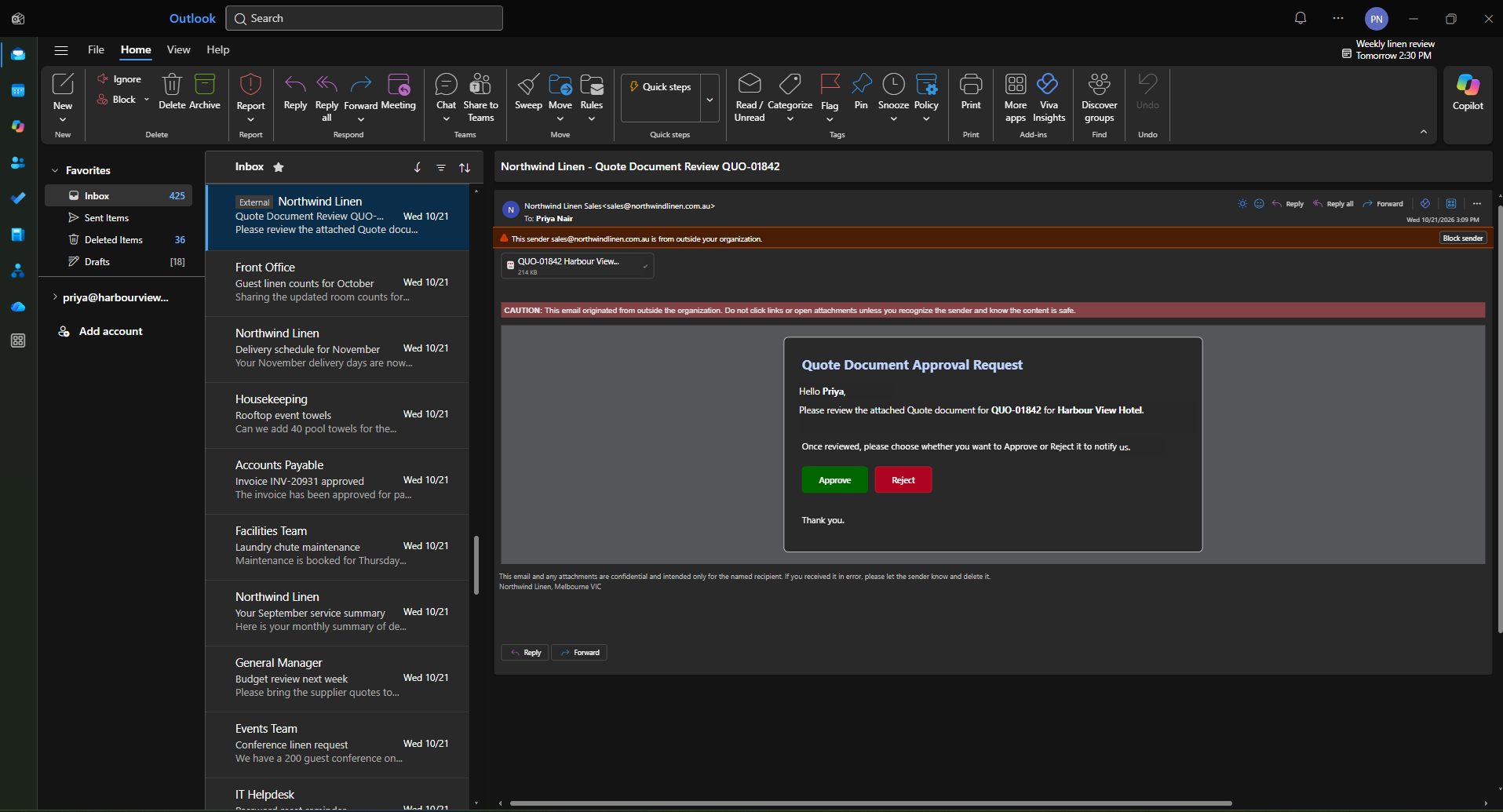
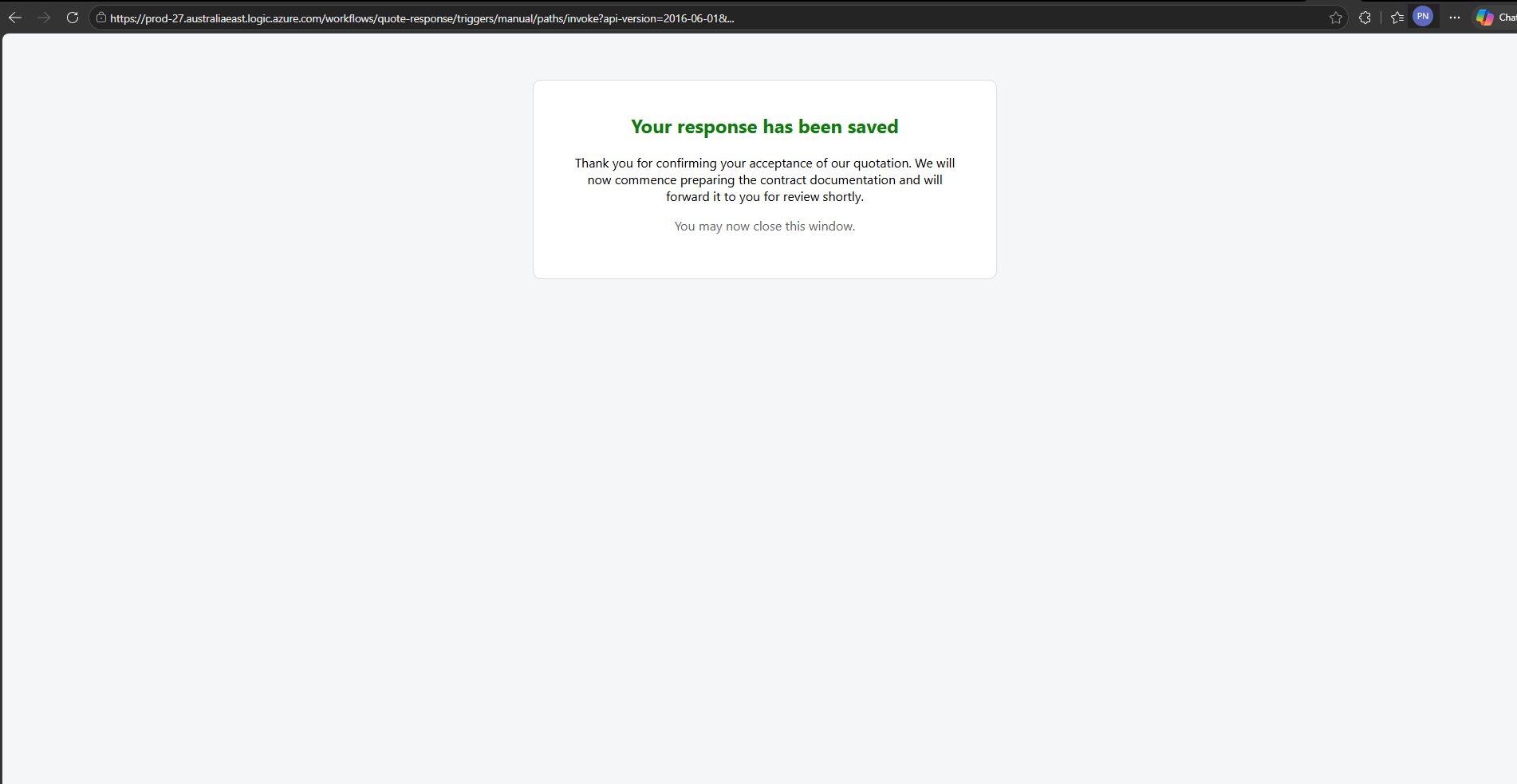
One click records the decision and shows a short confirmation. When the quote is approved, the page tells the customer the contract is on its way.
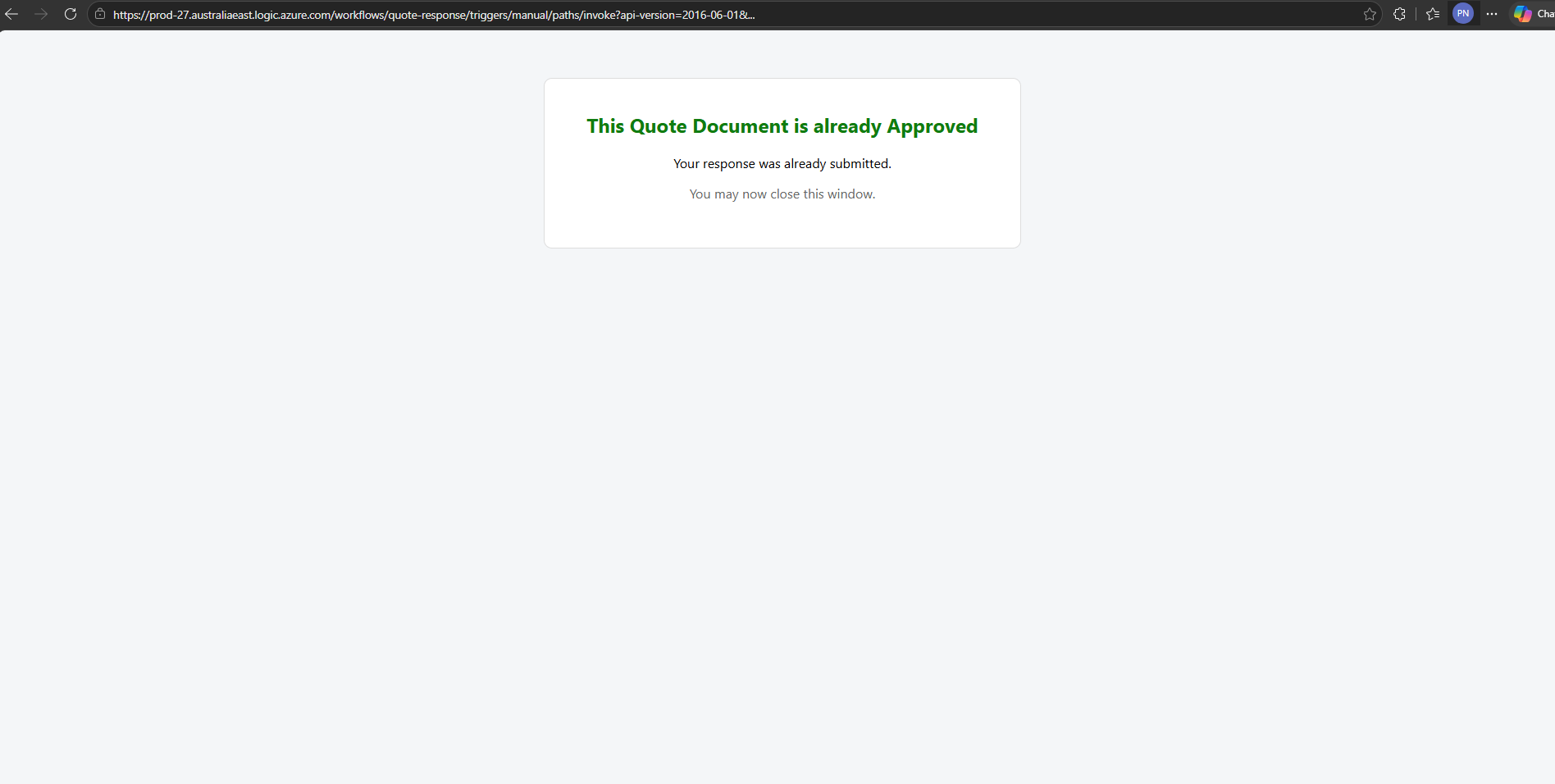
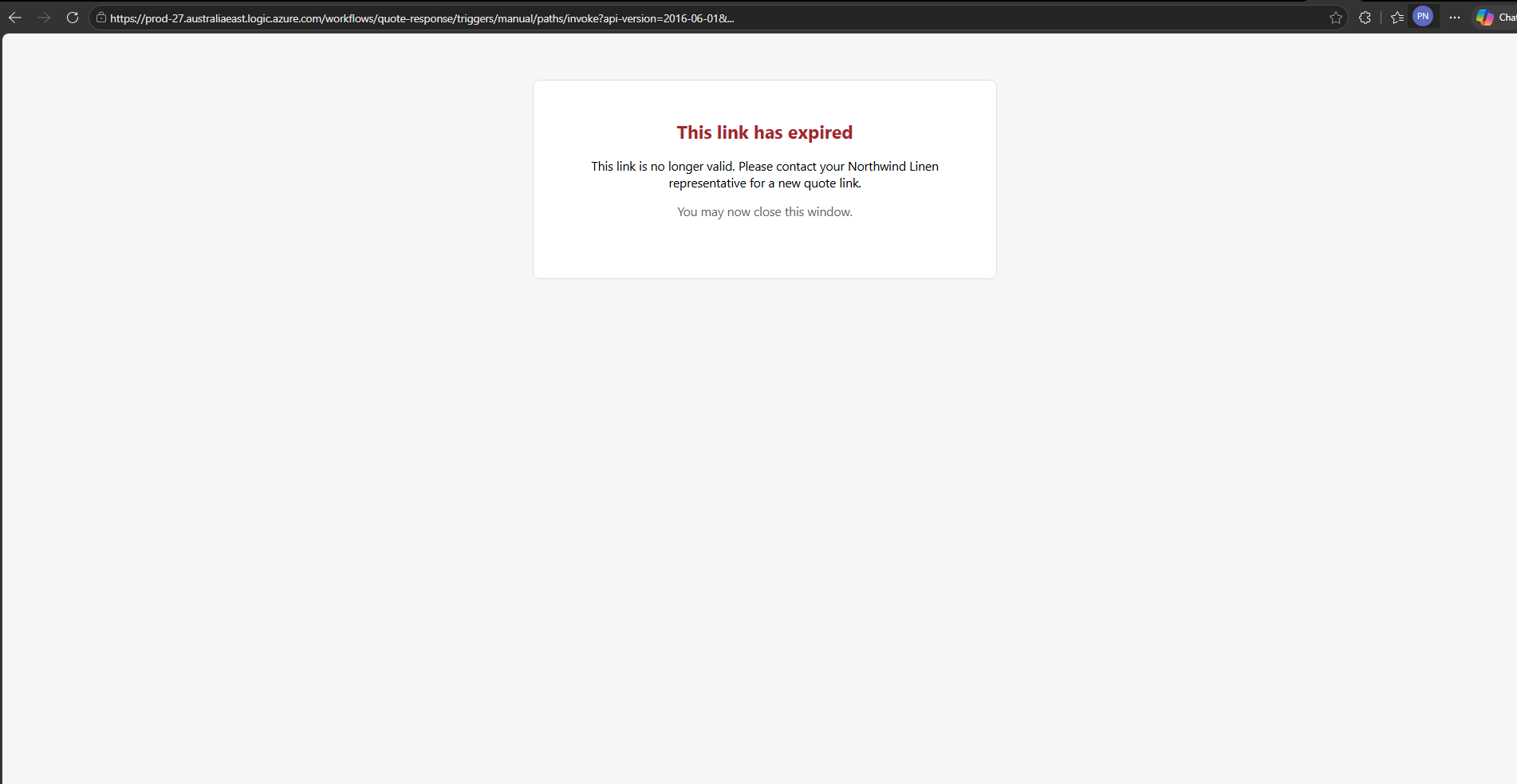
What changed is everything after that first click. If a button is clicked again, the customer is told the quote is already approved and nothing on the record moves. If the link is older than 30 days, or a newer quote email has replaced it, a clear page asks them to contact their sales representative for a fresh link.
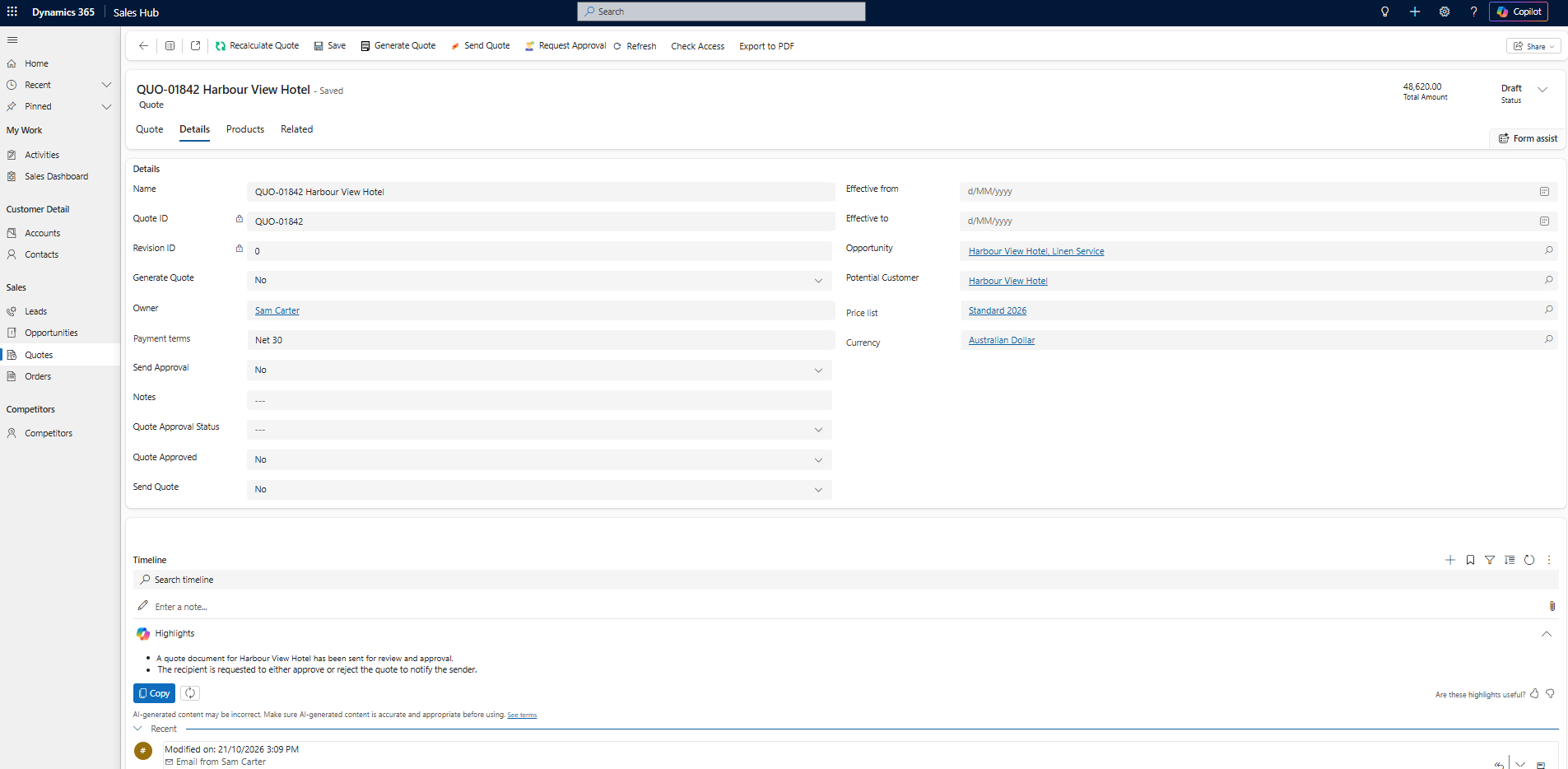
Inside Dynamics 365, the customer.s decision is saved straight onto the quote, along with when the link expires. That decision is what starts the contract process, so it now carries real weight.
How It Works
Everything runs on Dynamics 365 and Power Automate, which the client already had. No new apps and no new licences.
- Step oneSales sends the quoteFrom the quote, as before
- Step twoA unique link is issuedOne per email, valid for 30 days
- Step threeThe customer clicksThe link is checked before anything is saved
- Step fourDecision saved, link closedAny later click is politely turned away
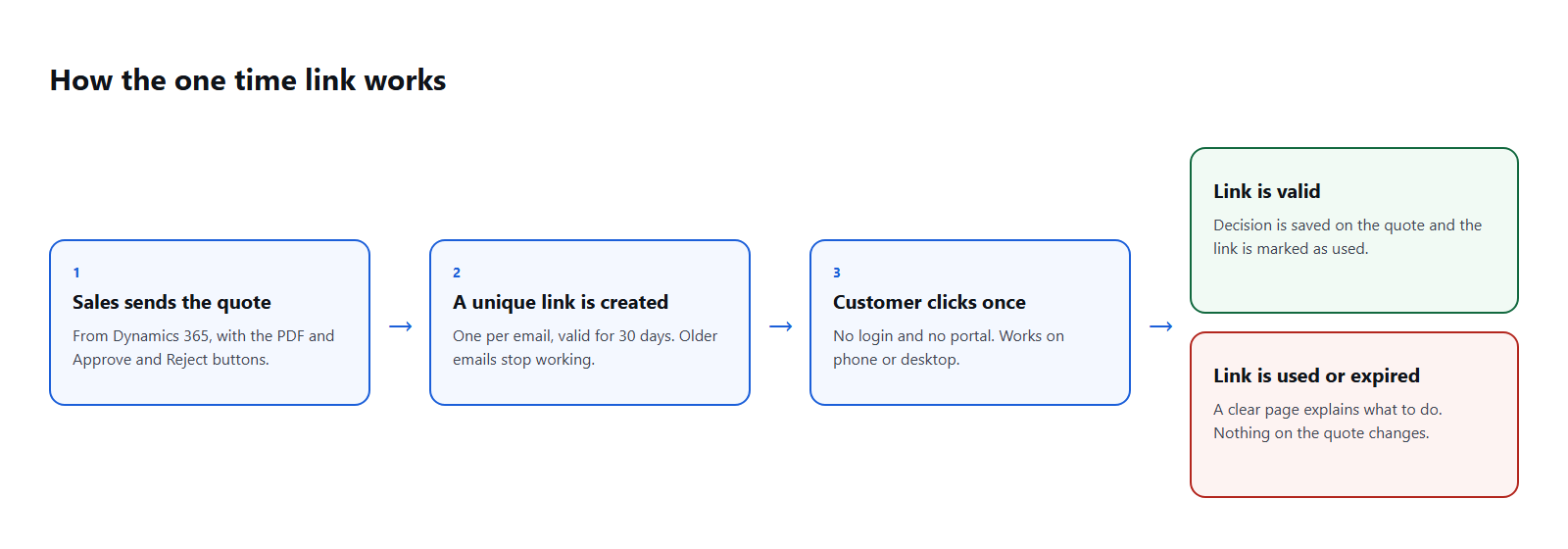
Each time a quote is sent, Dynamics 365 stores a new private code and an expiry date on the quote, and that code is built into both buttons. When the customer clicks, the flow compares the code in the link with the one on the quote. Only a match within 30 days is accepted. Once the decision is saved, the code is marked as used, so the same link cannot be accepted again.
Resending a quote replaces the link, so customers should always act on the newest email. Agree the expiry period with sales up front: 30 days suited this client’s quoting cycle, but yours may be shorter. And make sure the expired page names someone the customer can actually contact.
Going Live Safely
The tricky part was not the new links. It was the quotes already sitting in customers’ inboxes, sent under the old process without a private code. Switching them off overnight would have turned a security improvement into a stream of confused customers.
So those older emails keep working until each quote receives its first answer, and from then on the same single use rules apply. We built and tested in the client’s test environment first, then went live in production with test quotes sent only to our own team before any customer saw the change.
Impact
- A decision you can trust. The answer on the quote is the customer’s first and final one, so contracts start from solid ground.
- No extra effort for customers. Still one click, still no login, on any phone or laptop.
- Old emails retire themselves. Revised quotes no longer leave live buttons behind.
- No new cost. Built on the Dynamics 365 and Power Automate licences the client already owned.
Is This Right for You?
There is more than one way to collect a customer’s yes. This is how we usually compare them with clients.
| This projectOne time email link | Customer portal | Electronic signature | |
|---|---|---|---|
| Customer effort | One click, no login | Sign in, then respond | Open, review and sign |
| Extra licences | None | Portal licences | Signature service plan |
| What you get | A recorded decision on the quote | A recorded decision on the quote | A signed agreement |
| Best for | Accepting the quote before a contract | Customers who log in often | The contract itself |
The simple version: use a one time link to accept the quote quickly, and keep electronic signature for the contract that follows.
Conclusion
Approval buttons in an email are one of the easiest wins in Dynamics 365, and one of the easiest to leave open. For this client, making each link single use and time limited kept the one click experience customers liked, and gave the sales team a decision they can act on with confidence.
FAQ
Q1Does the customer need an account or a login?
No. The private code in the link identifies the quote, so the customer simply clicks.
Q2What if the customer clicks the wrong button?
The first answer is final by design. Sales can update the quote or send a fresh one, which issues a new link.
Q3Can the expiry be shorter or longer than 30 days?
Yes. It is a single setting in the flow, so it can match your quoting cycle.
Q4Do we need extra licences?
Not if you already send quotes with Dynamics 365 and Power Automate. This builds on what is there.
Q5Does this replace electronic signature?
No. It speeds up quote acceptance. A signature service is still the right tool for the contract that follows.
Get in Touch
Want quote approvals your team can rely on?
We design quote to contract processes on Dynamics 365 and Power Automate that are quick for customers and dependable for sales. Book a short discovery call and we will walk through how it would fit your process.
Talk to our CRM team →
Suchit Chaudhari
Associate Consultant, CloudFronts
Suchit works with CloudFronts clients on Dynamics 365 and the Power Platform, building apps and automations that help teams get more out of the CRM they already have.