

Filter a Lookup Field on New Form Using PowerApps.
Introduction:
In this blog, we will learn how to filter a Lookup Field on the New Form.
Use Case:
We have a requirement where there is a Lookup Field on the form, which should only show those values whose Status is Active.
Steps:
1. This is the form of Quote Product. We want to filter the Existing Product field.
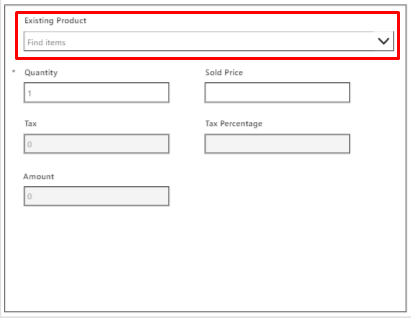
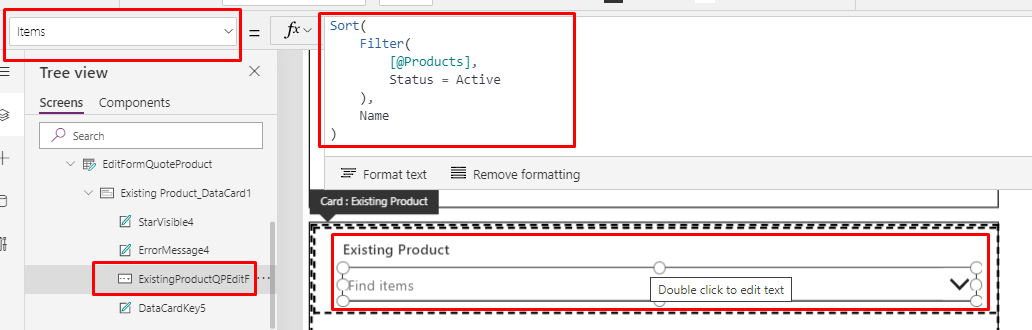
2. To filter the field, click on the Combo Box.
Items property:
         Set   ExistingProduct.Items =  Filter(<Data Source>,Status = <Field Name>.Active)
         For eg: ExistingProductQPEditForm.Items = Filter([@Products],Status = 'Status (Products)'.Active)
Conclusion:
Hope the above Blog helps you to filter a Lookup Field on the New Form.
Related posts:

From Project Operations to Business Central: Following the Data Behind Project Financials
Location-Based Item Based Visibility in Business Central for a Maldives-Based Marine Services Firm
Connecting Project Operations to Finance: Our Dataverse-to-Business Central Integration for Project ...

