Purchase Quotation Dynamics NAV
Introduction:
Purchase Quotation use to purchase items or services, and want to receive competitive offers from multiple vendors. In Purchase quote, vendors provide the prices and delivery times for the quantities of items that they specify.
- In the Search box, enter Purchase Quotes, and select the related link.
- Click on new to create new purchase quote.
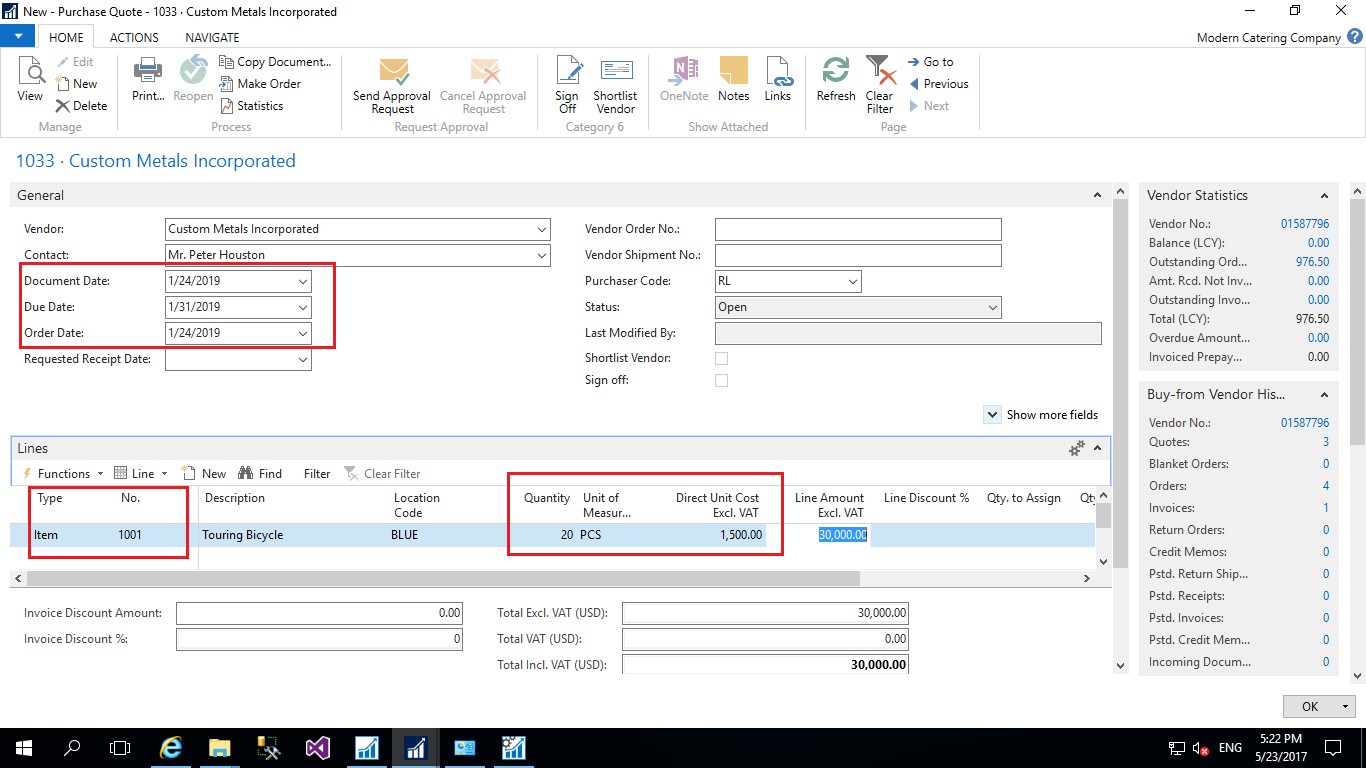
- In the Buy-from Vendor No. field, select the vendor’s number.
- Select item in the type field in quote line.
- In the field, select the item number to be ordered.
- Enter the quantity you want to order in quantity field.
- Enter the Order date, Due Date, Expected receipt date on Purchase quote header.
- Once receive the price from vendor enter the price in Direct unit cost field.
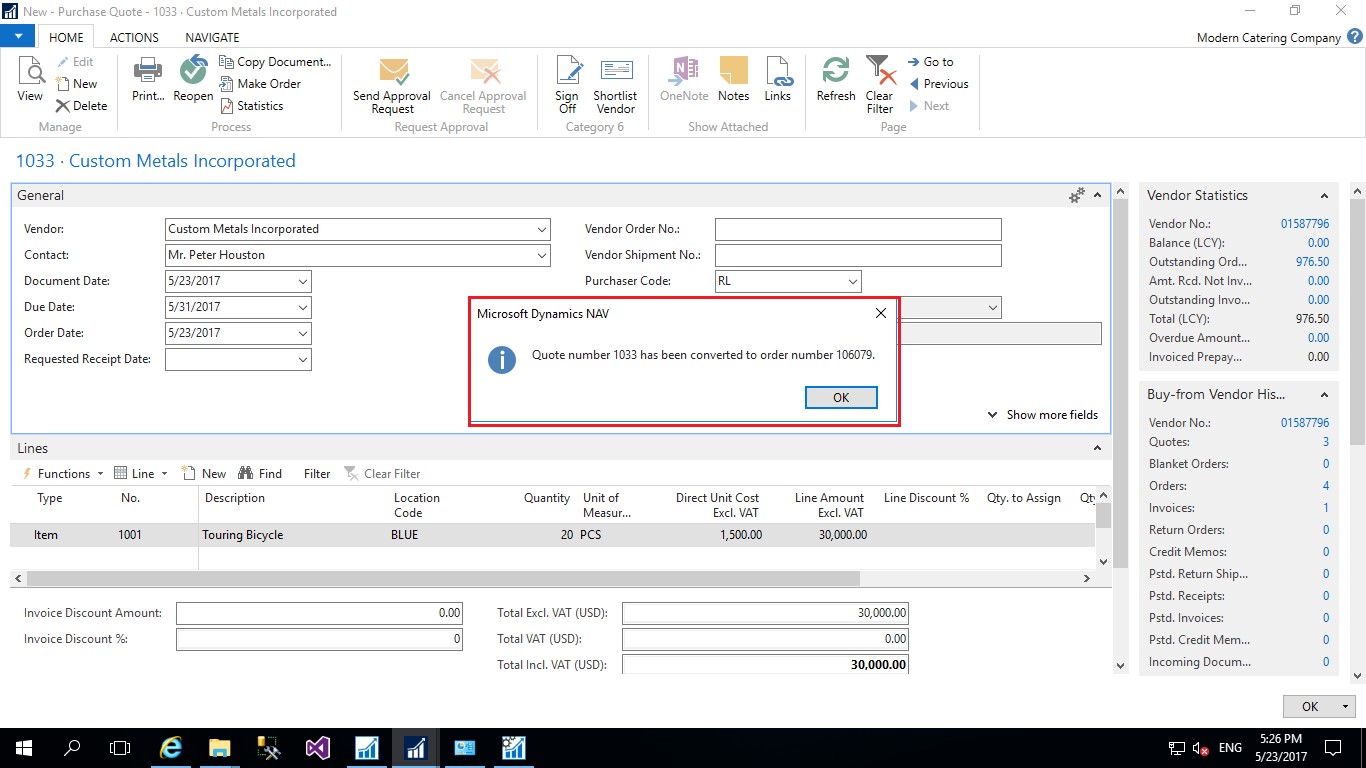
- On Action tab click on Make order to create Purchase order from Purchase quote.
- You will get below Infolog when purchase order will be created.



Conclusion:
Purchase quotation is good feature in Dynamics NAV which allow you to create quote for items and services that you want to purchase from several vendors based on prices and time.
Related posts:

From Client Secrets to Certificate-Based Authentication: Building a Secure Integration with Azure Ke...

From Multiple Data Sources to Azure Databricks: A Zero-Downtime Power BI Report Data Migration for F...
Using AI for Data Discipline That Drives Better AI Outcomes