
How to change the name of Custom App in Dynamics 365
Introduction:
This blog consists of steps to change the name of the custom app in Dynamics 365.
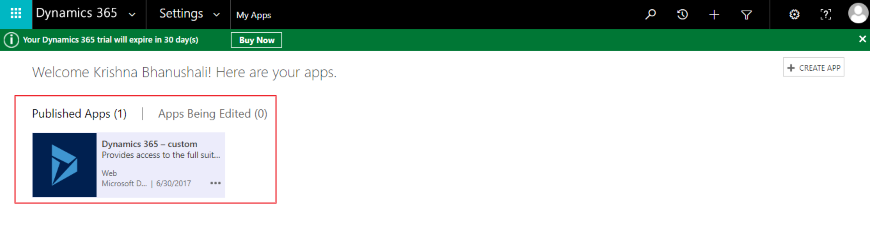
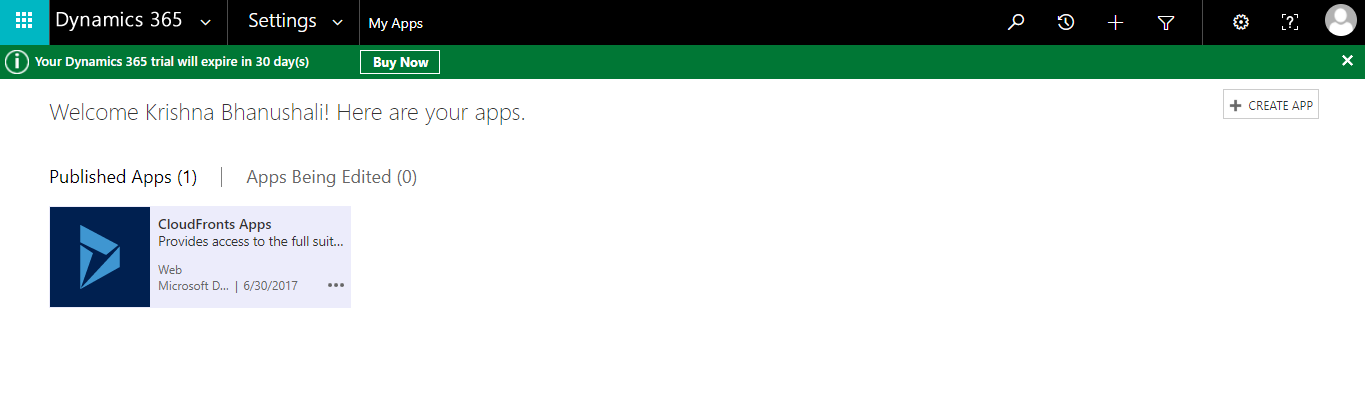
Initially the app name is “Dynamics 365-custom” as shown below.
Steps:
We can change the name to our organization name as shown below:
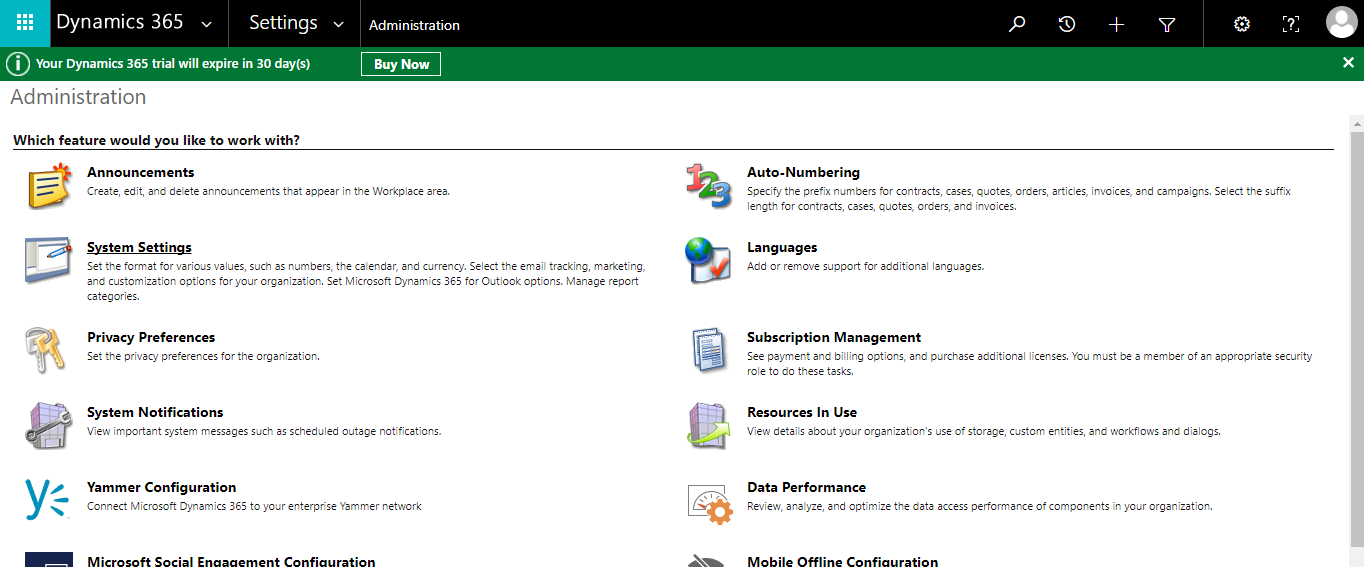
- Navigate to Settings–> Administration–>System Settings
- In General Tab–> Set options for the default app:Dynamics 365-custom–>Change the default app name
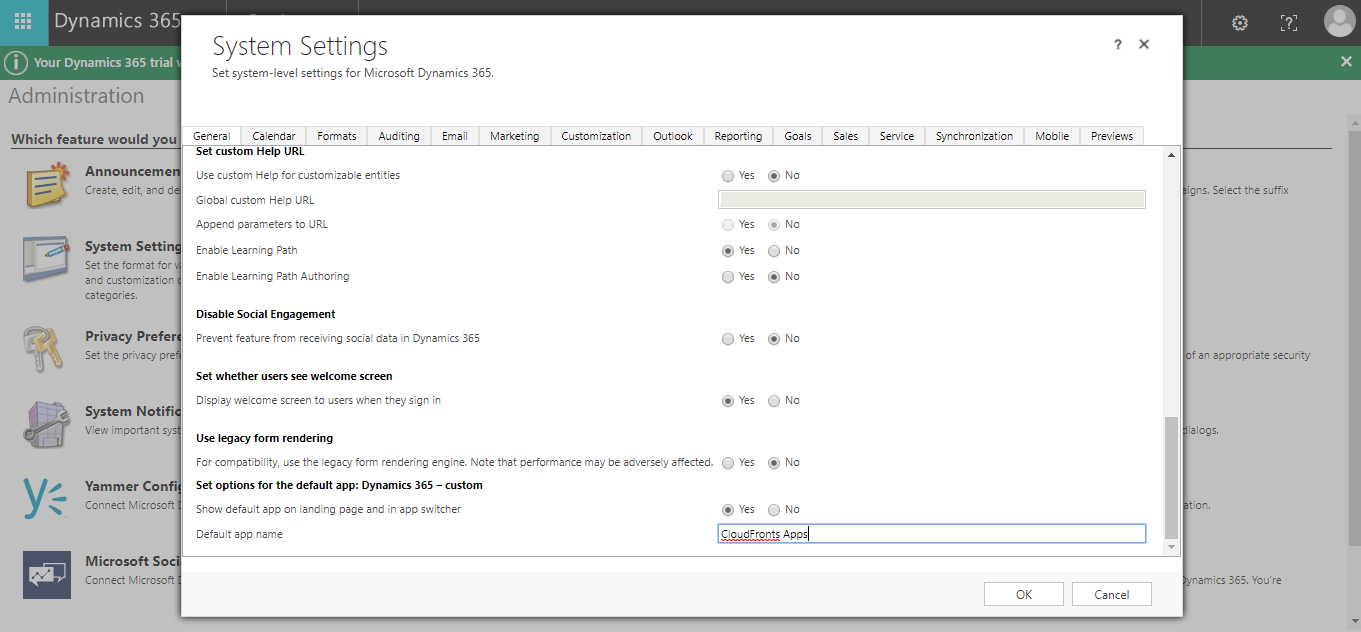
- The App name is changed to “CloudFronts Apps” and will be visible as below:
Conclusion:
Like this way, you can change the name of custom application in Dynamics 365.
Related posts:

D365 CRM - Generating Emails using JavaScript via user actions for US based Azure & AI services ...
How a Multi-Country Infrastructure Group Evaluated One vs Two Production Environments in Dynamics 36...
How an Australian Linen Company Made Quote Approvals Secure with One Time Links in Dynamics 365