Generic Type Bookable Resource on Schedule Board in D365 Field Service
Introduction:
This blog explains how to filter Generic Type Bookable Resource on Schedule Board.
Pre-requisite:
Latest Field Service Solution of D365.
Procedure:
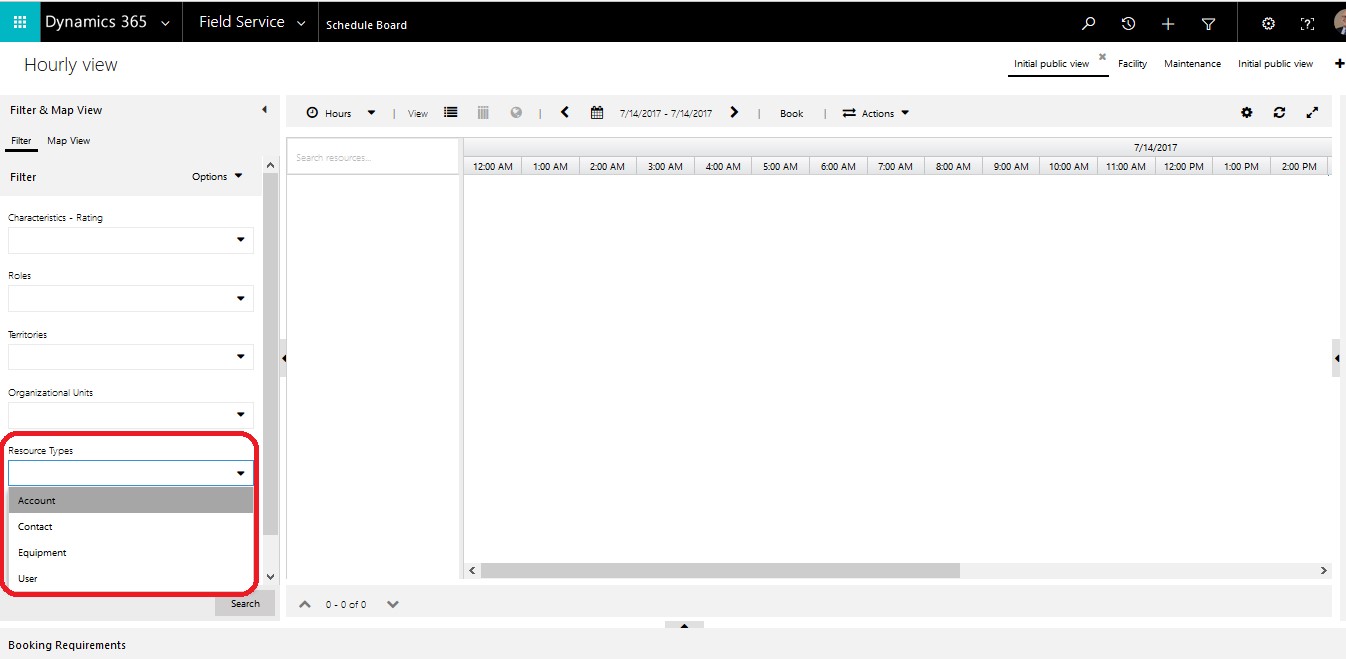
1. Open Schedule Board, Field Service → Schedule Board.
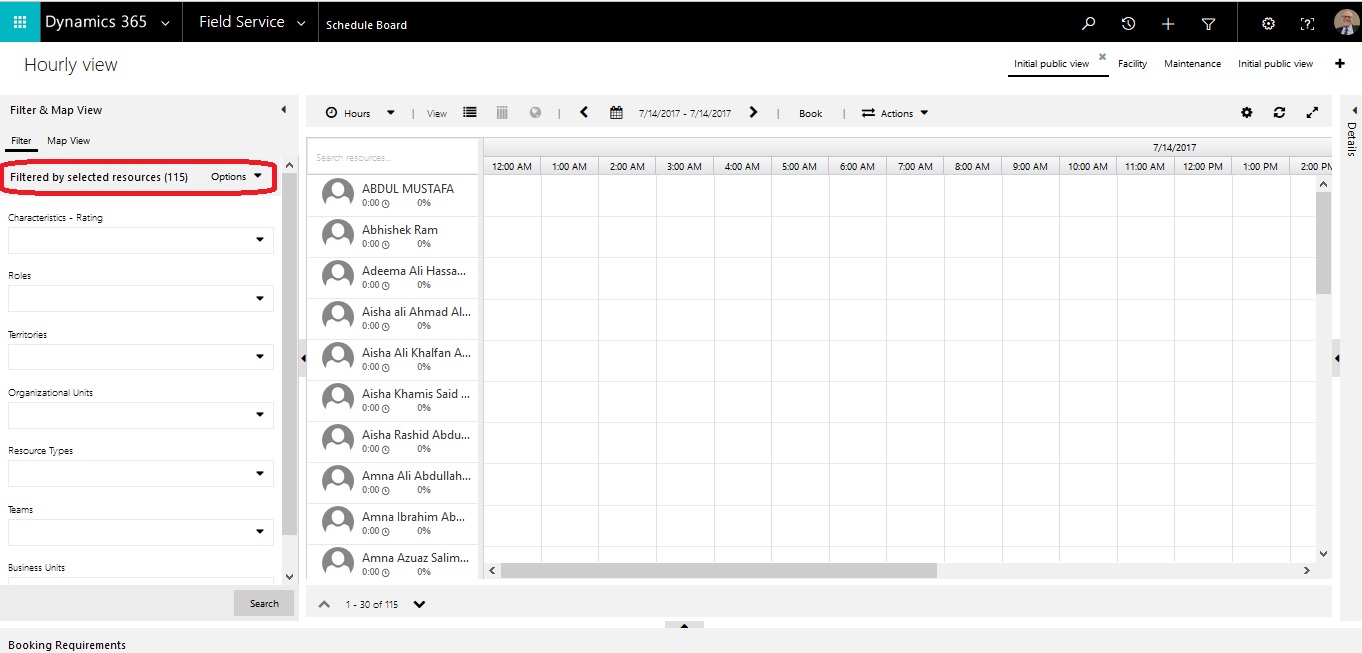
As highlighted below there is no option to select Generic Type Bookable Resource in Filter Section.
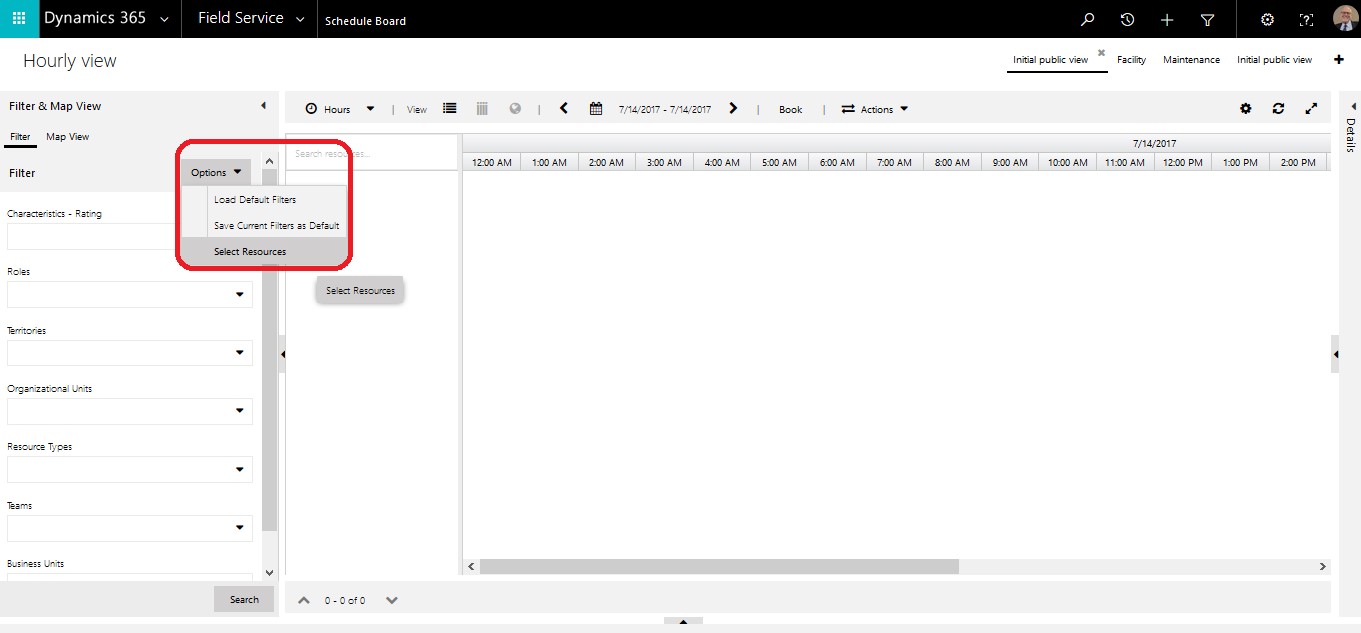
2. Click Options → Selected Resources
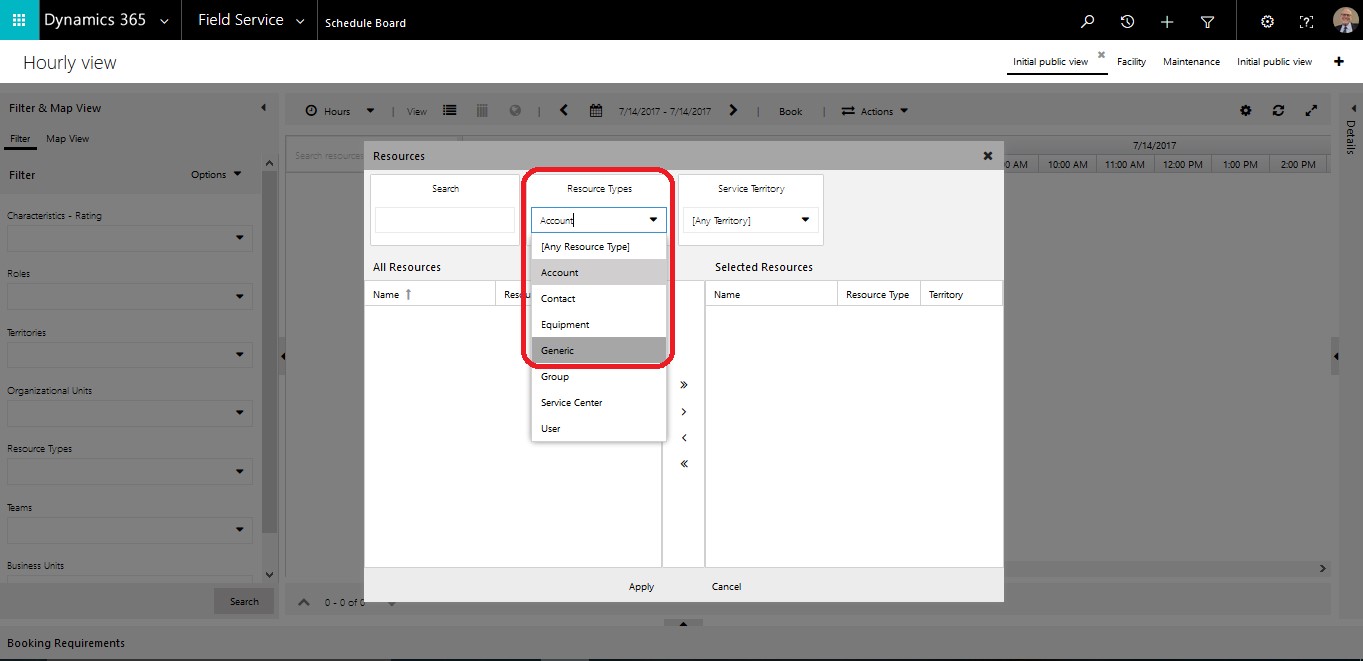
3. Select Generic in Resource Types drop down as shown below.
4. Select Bookable Resources as per need.
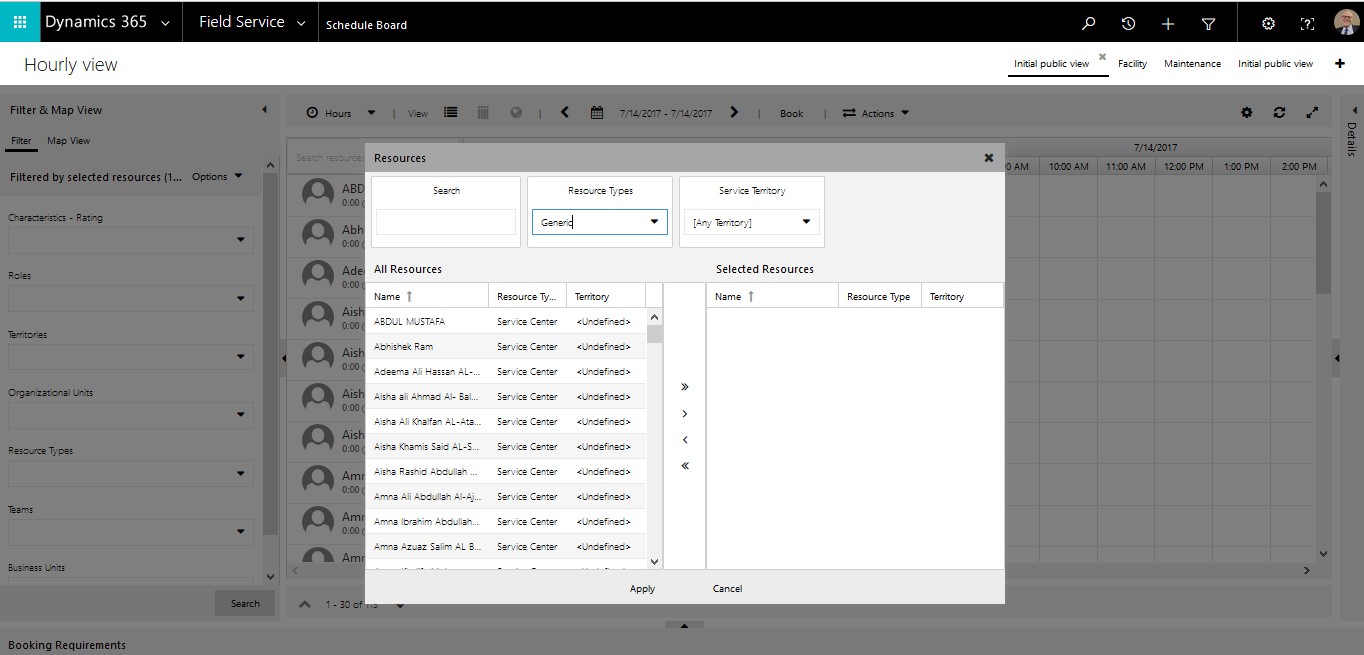
5. Bookable Resource are shown in Schedule Board of type Generic.
Conclusion:
This blog explains how to filter Generic Type Bookable Resource on Schedule Board.
Related posts:
How an Australian Linen Company Made Quote Approvals Secure with One Time Links in Dynamics 365
Recovering Lost Approval History After a Purchase Order Deletion in Business Central
How an Abu Dhabi-Based Diversified Holding Company Simplified Intercompany Transactions in Dynamics ...